
How to Add a Second Home to Apple HomeKit
If you have a second home outfitted with HomeKit devices, you can easily add it to Apple's Home app and keep all of the device settings you own in that location completely separate from your primary home. Once you've set up a seco
Table of Contents
If you have a second home outfitted with HomeKit devices, you can easily add it to Apple's Home app and keep all of the device settings you own in that location completely separate from your primary home.
Once you've set up a second home in the Home app, you can set up rooms and zones in it and control any device remotely, just like you can in your main home. To add a second home to HomeKit, just follow these steps.
How to Add a Second Home to HomeKit
- Launch the Home app on your iPhone or iPad.
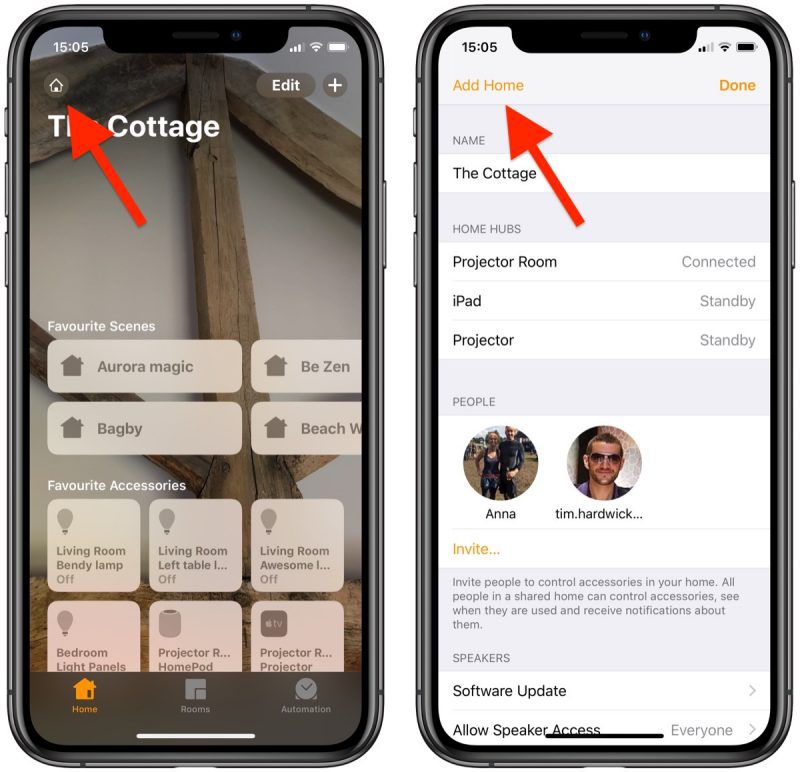
- Tap the Home icon or location arrow in the top left of the screen.
- Tap Add Home in the top left of the screen.
- Give your second home a name.
- To add a recognizable backdrop to your second home's main screen, either tap Take Photo... or Choose from Existing.
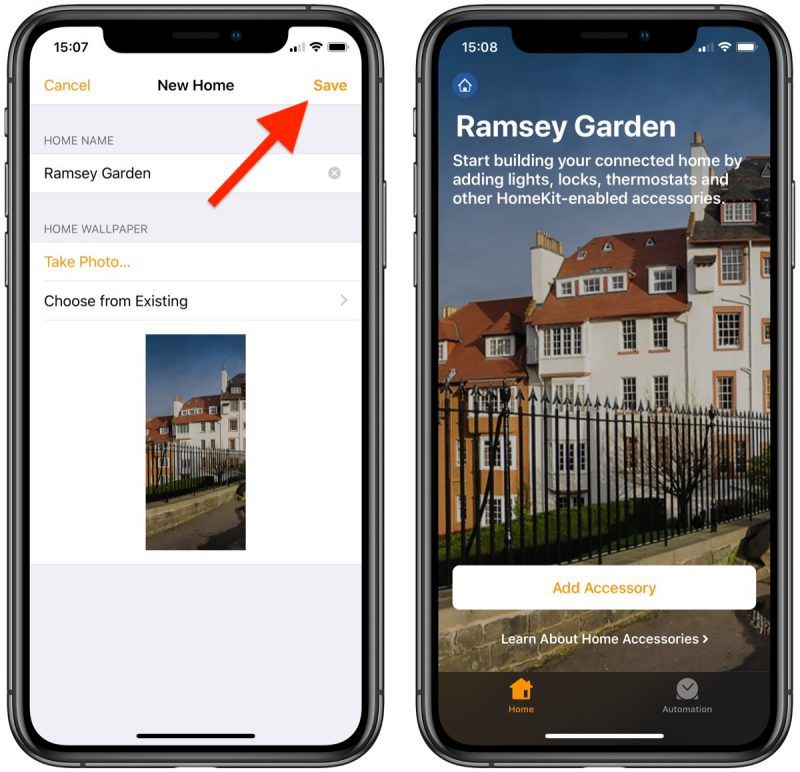
- Tap Save.
- Tap Invite... to give other people smart device access to your second connected home.
- You can optionally add notes for people who are sharing your home under Home Notes.
Now that your second home is set up, tap Add Accessory to start adding smart devices to it. You can switch between homes within the Home app anytime by tapping the Home icon in the top left of the screen.
You can also have the Home app automatically switch between homes based on your location. To do so, tap the Home icon, select Home Settings... and toggle on the switch next to Home Switching, then press Done.
How to Remove a Second Home From HomeKit
- Launch the Home App on your iPhone or iPad.
- Tap the Home icon or location arrow in the top left of the screen.

- Tap Home Settings....
- Tap the name of the home that you want to remove.
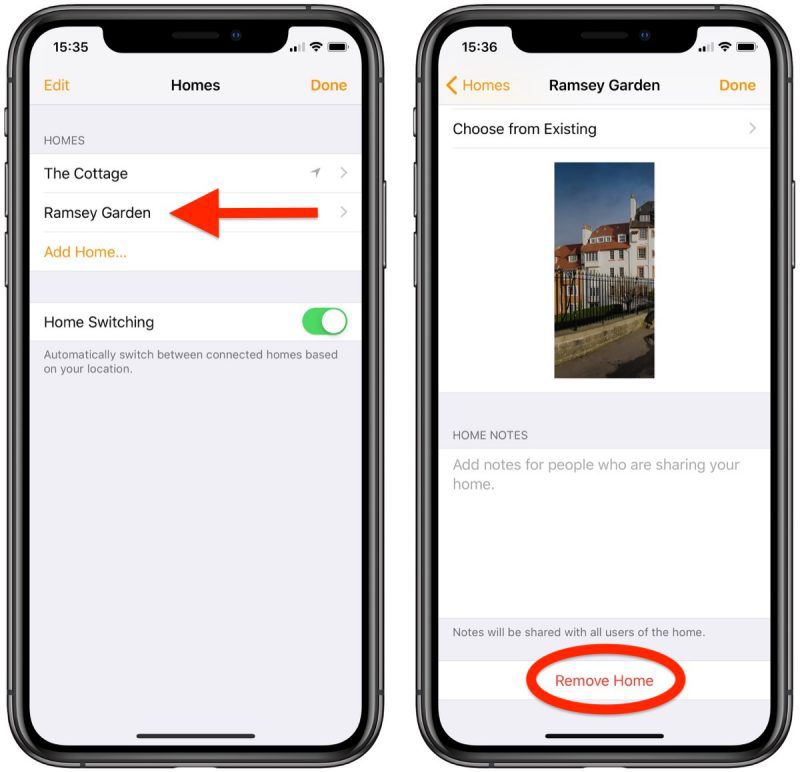
- Scroll down to the bottom and select Remove Home.
- Tap Remove to confirm.
Removing a home from HomeKit will delete all of your accessories and settings, so make sure that's what you want to do before hitting that delete button.
Popular Stories
First Look at LG's Smart Home Products Made With Apple

Apple Working to Expand HomeKit