NEWS · Apple How-To

How to Disable the Ultra Wideband Chip in Your iPhone 11 Pro to Prevent Location Data Usage

How to Disable the Ultra Wideband Chip in Your iPhone 11 Pro to Prevent Location Data UsageThursday January 23, 2020 12:57 PM PST by Tim HardwickIn December 2019, a security researcher discovered that Apple's iPhone 11 Pro models

vinkoweb · Oct 28, 2026 · 3 views
How to Disable the Ultra Wideband Chip in Your iPhone 11 Pro to Prevent Location Data Usage
Table of Contents
  1. 1. Popular Stories
  2. 2. Apple Responds to iPhone Duo Display Cracking Reports
  3. 3. Crackgate? iPhone Duo Owners Report Screens Breaking Along the Hinge
  4. 4. Apple Announces New iPad Mini With 8.5-Inch OLED Display, A20 Pro Chip, and More
  5. 5. Next Article

How to Disable the Ultra Wideband Chip in Your iPhone 11 Pro to Prevent Location Data Usage

by Tim Hardwick

In December 2019, a security researcher discovered that Apple's iPhone 11 Pro models access user location data even when all apps and system services on the iPhone are set to not request the data.
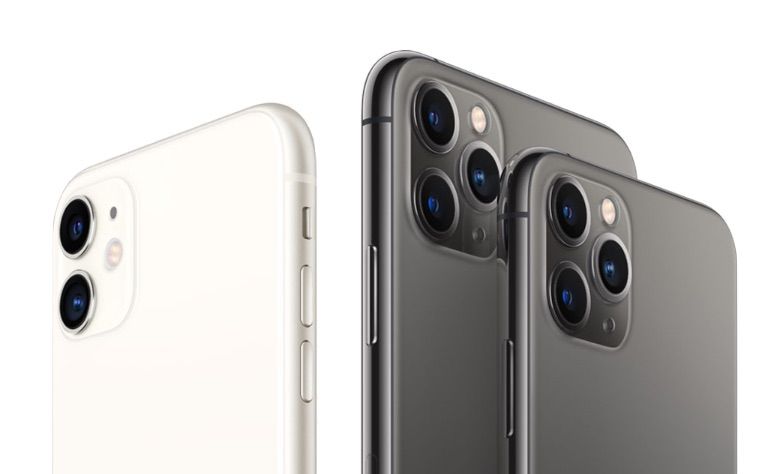
iphone 11 and 11 pro no background
Apple responded by explaining that ‌these iPhone‌ models have a U1 Ultra Wideband chip, and there are some areas where Ultra Wideband technology is not allowed because of international regulations. These iPhones use location data to make sure they're not in restricted areas. In other words, what the researcher had discovered was expected behavior.

Apple says that the location checks are done on-device and no data about location is being sent to Apple's servers. Even so, with the release of iOS 13.3.1, Apple is adding an option to its iPhone software that allows users to turn off the UI chip entirely if they so wish.

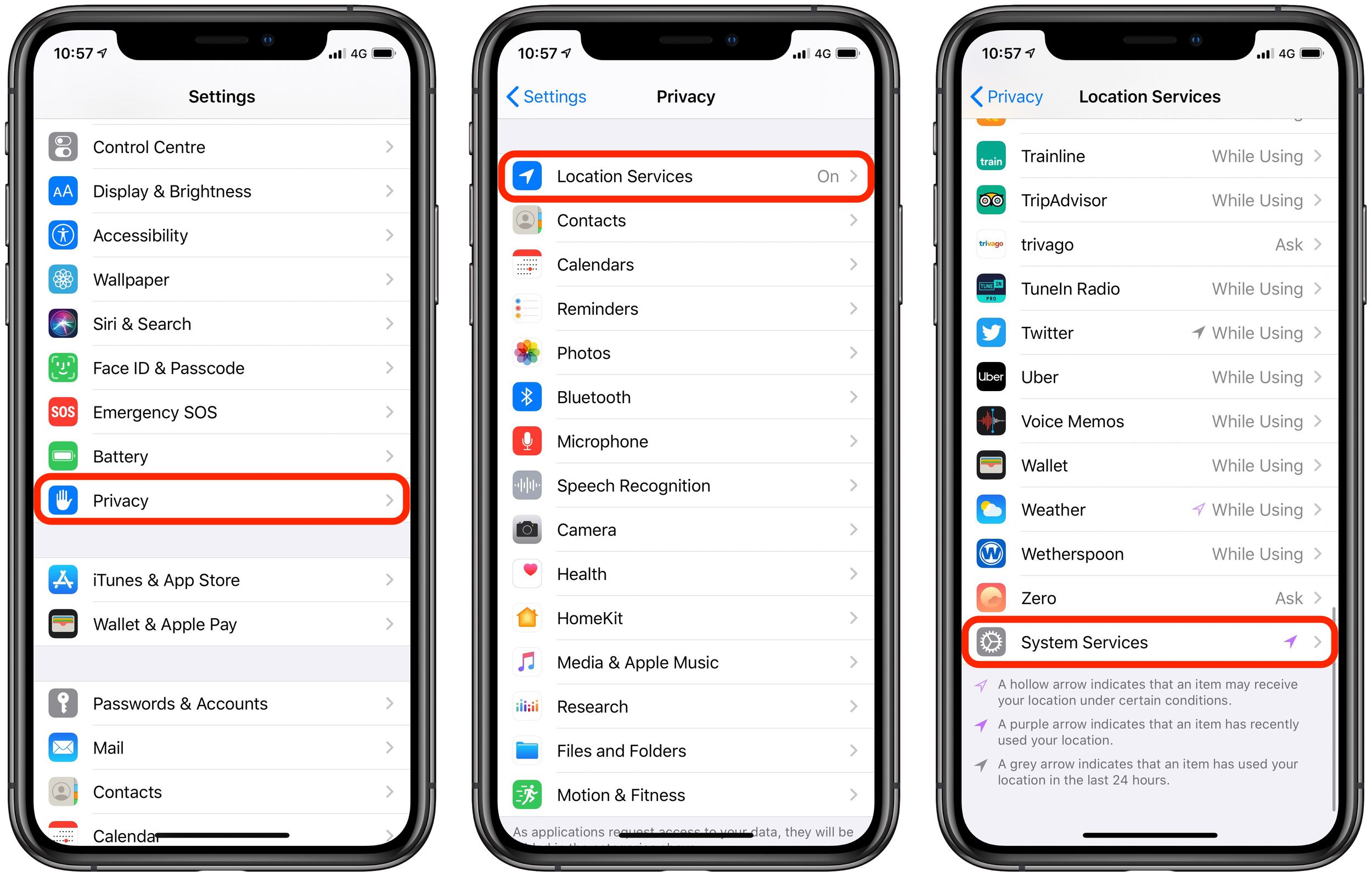
The new option is hidden away in settings, but you can find it by following the steps below.

  1. Launch the Settings app on your iPhone.
  2. Tap Privacy.
  3. Tap Location Services.
  4. Tap System Services at the bottom of the menu.
    settings
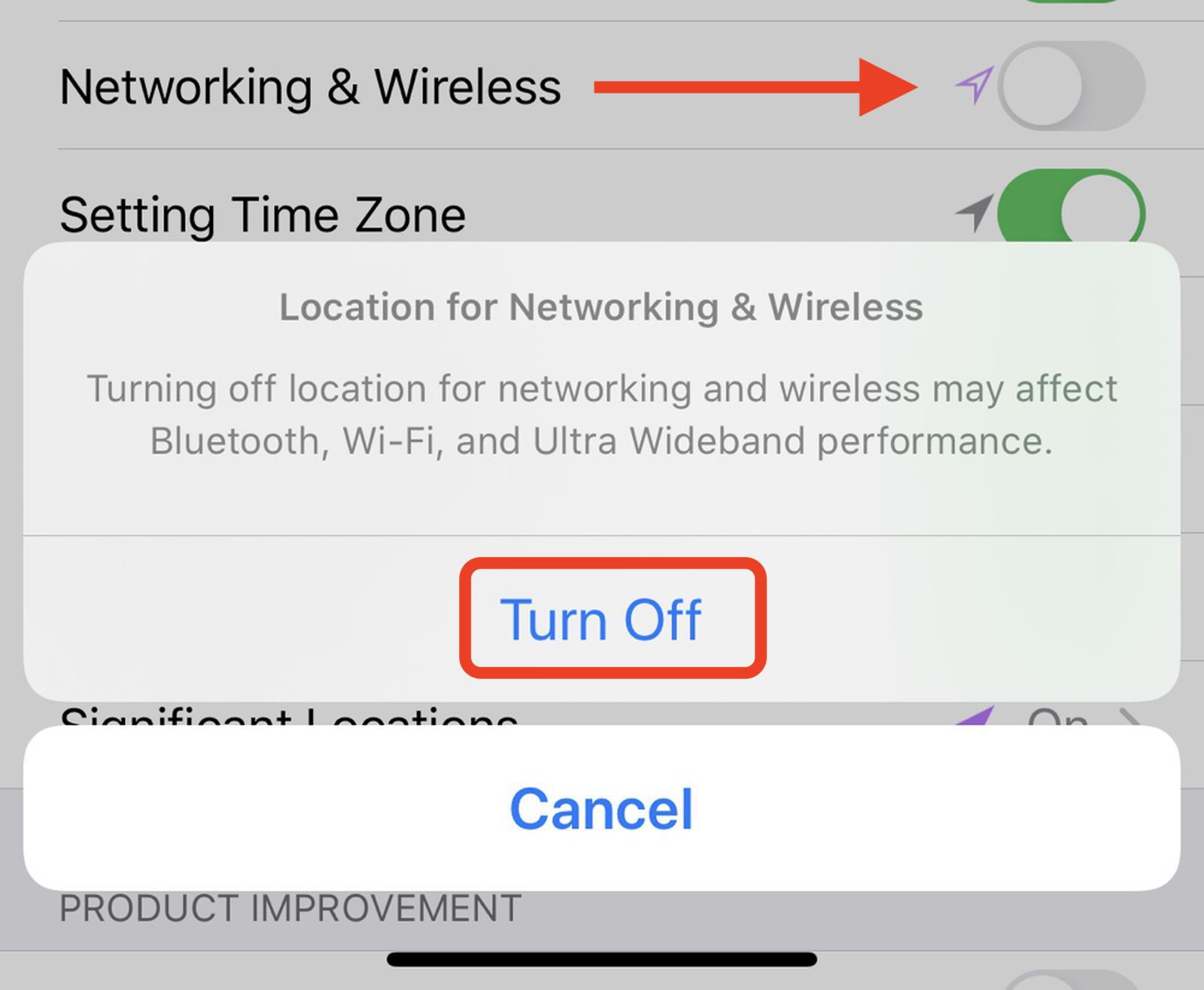
  5. Toggle the Networking & Wireless switch to the grey OFF position.
  6. A prompt will appear – tap Turn Off to confirm.settings

Note that leaving the Ultra Wideband chip disabled in this way may also affect your iPhone's Bluetooth and Wi-Fi performance, so it's best to weigh up the pros and cons with regards to your own needs and circumstances.

iphone duo screen crack

Apple Responds to iPhone Duo Display Cracking Reports

Monday October 26, 2026 10:20 am PDT by Juli Clover
Shortly after the iPhone Duo launched, a few users reported hinge issues that were causing cracks in the inner display. Apple has now responded to the reports in a statement to MacRumors, saying a small number of units are affected. The response to iPhone Duo from early users has been incredibly positive, and we are seeing exciting things from developers who are rapidly updating their apps...
iphone duo screen crack in store

Crackgate? iPhone Duo Owners Report Screens Breaking Along the Hinge

Friday October 23, 2026 11:05 am PDT by Juli Clover
Some iPhone Duos are already experiencing hinge issues that cause display cracks, based on photos shared on Reddit and the MacRumors forums. Almost all of the display faults are right along the hinge, and most result in a line of bright pixels across one side of the screen. An iPhone Duo owner in Australia said his device cracked after being opened fewer than 20 times, and there was no...
iPad mini OLED feature 1

Apple Announces New iPad Mini With 8.5-Inch OLED Display, A20 Pro Chip, and More

Monday October 26, 2026 6:05 am PDT by Joe Rossignol
Apple today announced a new iPad mini with a larger 8.5-inch OLED display, a nano-texture display option, a thinner and lighter design, an A20 Pro chip, a new Acoustic Display audio system that eliminates speaker holes, IP67-rated water and dust resistance, a landscape front camera, Apple's N1 chip with Wi-Fi 7 and Bluetooth 6 support, and more. Altogether, Apple says this amounts to the iPad...
'); }
← More tech stories