
How to Look Up a Word Definition on Your iPhone or iPad
How to Look Up a Word Definition on Your iPhone or iPadWednesday December 19, 2018 4:44 PM PST by Tim HardwickiOS 11 and later include a neat built-in dictionary feature that lets you quickly look up the definition of words on you

Table of Contents
How to Look Up a Word Definition on Your iPhone or iPad
iOS 11 and later include a neat built-in dictionary feature that lets you quickly look up the definition of words on your iPhone or iPad, even if an internet connection is unavailable.
It's a handy recourse if someone breaks out a "big word" during a conversation, or you come across an expression in a book or on the web that you don't quite understand.
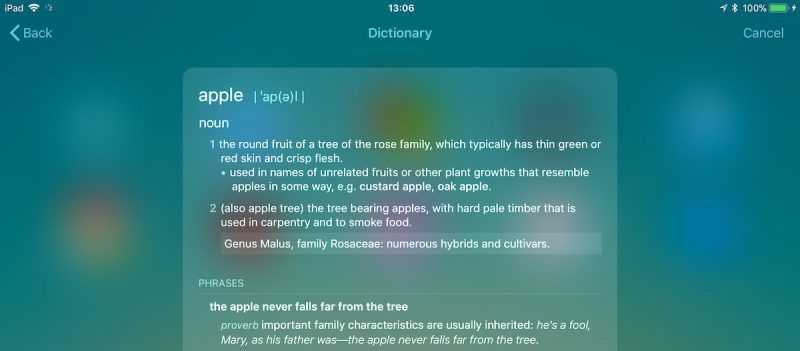
There are a couple of ways to access the dictionary which we've outlined below. Keep them in mind, and with a little luck, you won't have to consult a physical dictionary, a third-party dictionary app, or an online definition service the next time you want to know the meaning of a word.
How to Get a Word Definition
- On your iOS device, swipe right on the Lock screen or Home screen to display the Today view. Alternatively, swipe down on the Home screen to invoke the Search screen.
- Tap the search field if it isn't already active, and begin typing the word that you want to define. (You can also tap the microphone icon and say the word – if you know how to pronounce it.)
- Read the dictionary definition preview that appears in the search results, or tap it to see the extended definition.
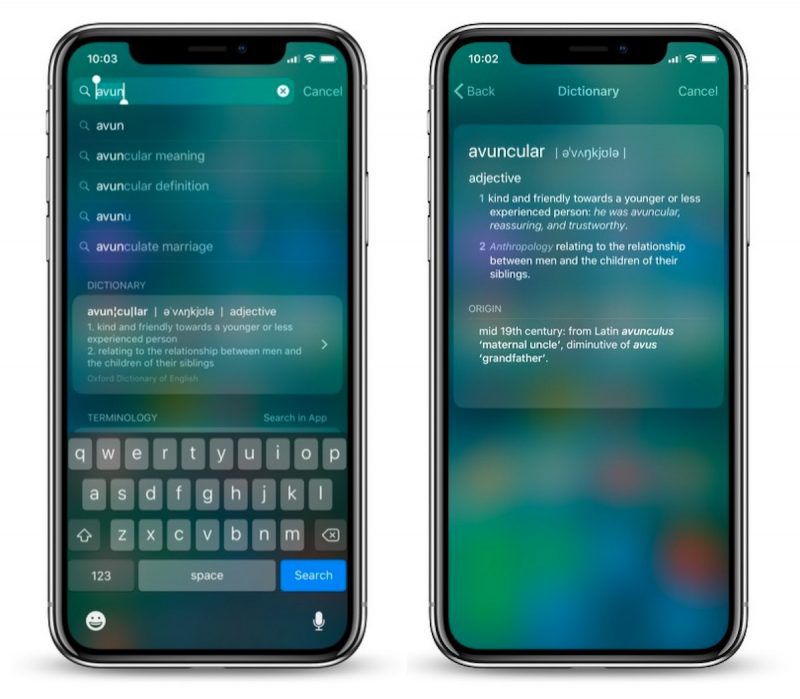
In our experience, these definitions can occasionally get mixed up with Wikipedia suggestions from Siri. If you want to increase the chances that you get a dictionary definition first, go to Settings -> Siri & Search and toggle off Suggestions in Search.
How to Look Up a Word Within an App
If you come across a word you don't know in a document or email, or even when browsing the web, use the following method to look up its definition.
- Tap and hold your finger on the word to highlight it.
- Tap Look Up in the pop-up menu.
- Read the dictionary definition preview that appears in the Look Up results, or tap it to see the extended definition.
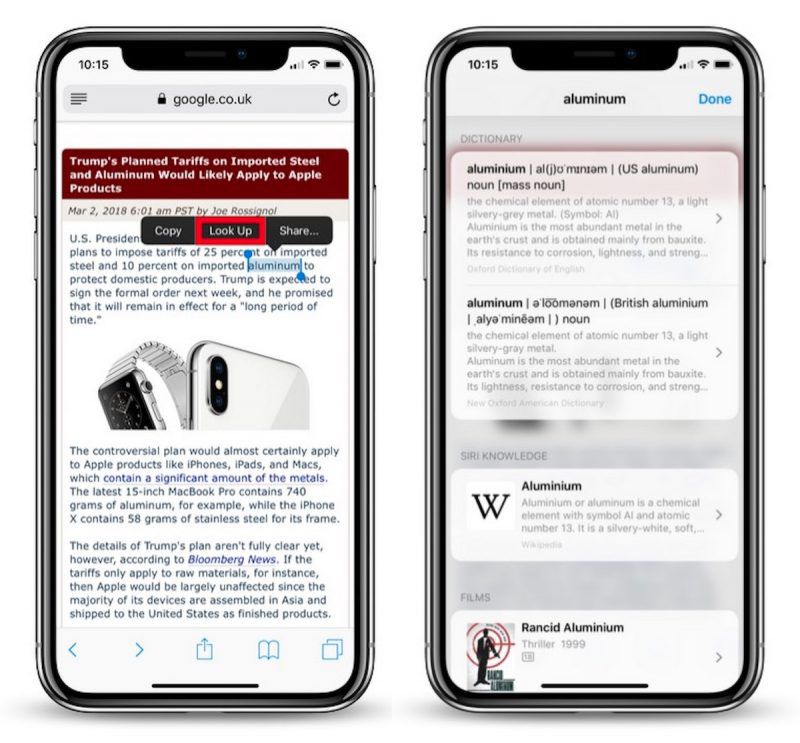
If you don't see any word definitions in the search results, it's likely you haven't got any dictionaries installed on your iOS device.
To remedy this, scroll down to the bottom of the results screen and tap Manage Dictionaries. You'll be presented with a list of dictionaries available to you. Simply tap the ones you want to download and they'll be automatically installed on your device.
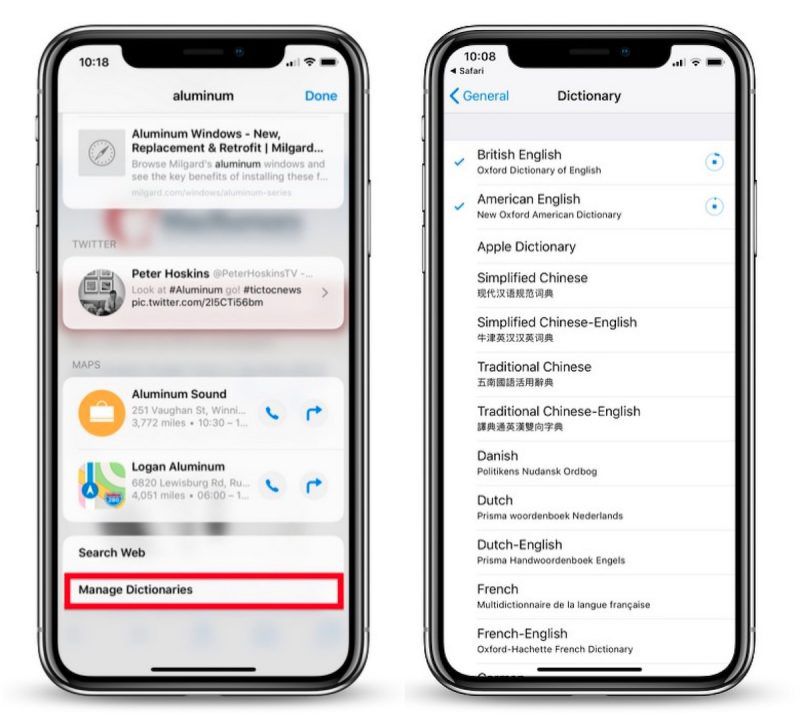
The next time you look up a word, you'll get individual definitions from every dictionary that's installed. Note that you can add and remove dictionaries at any time by ticking/unticking them in Settings -> General -> Dictionary.
Finally, if you're seeking a more feature-rich lexical resource to explore words and phrases, check out the Terminology app for iPhone and iPad. [Direct Link]
Popular Stories

Apple Responds to iPhone Duo Display Cracking Reports

Apple Announces New iPad Mini With 8.5-Inch OLED Display, A20 Pro Chip, and More

