How to Mirror Your iPhone's Camera to Take Better Selfies
How to Mirror Your iPhone's Camera to Take Better SelfiesMonday December 18, 2023 9:02 AM PST by Tim HardwickWhen you take a selfie with your iPhone using the stock Camera app, it automatically flips – or mirrors – the image so th
How to Mirror Your iPhone's Camera to Take Better Selfies
by Tim Hardwick
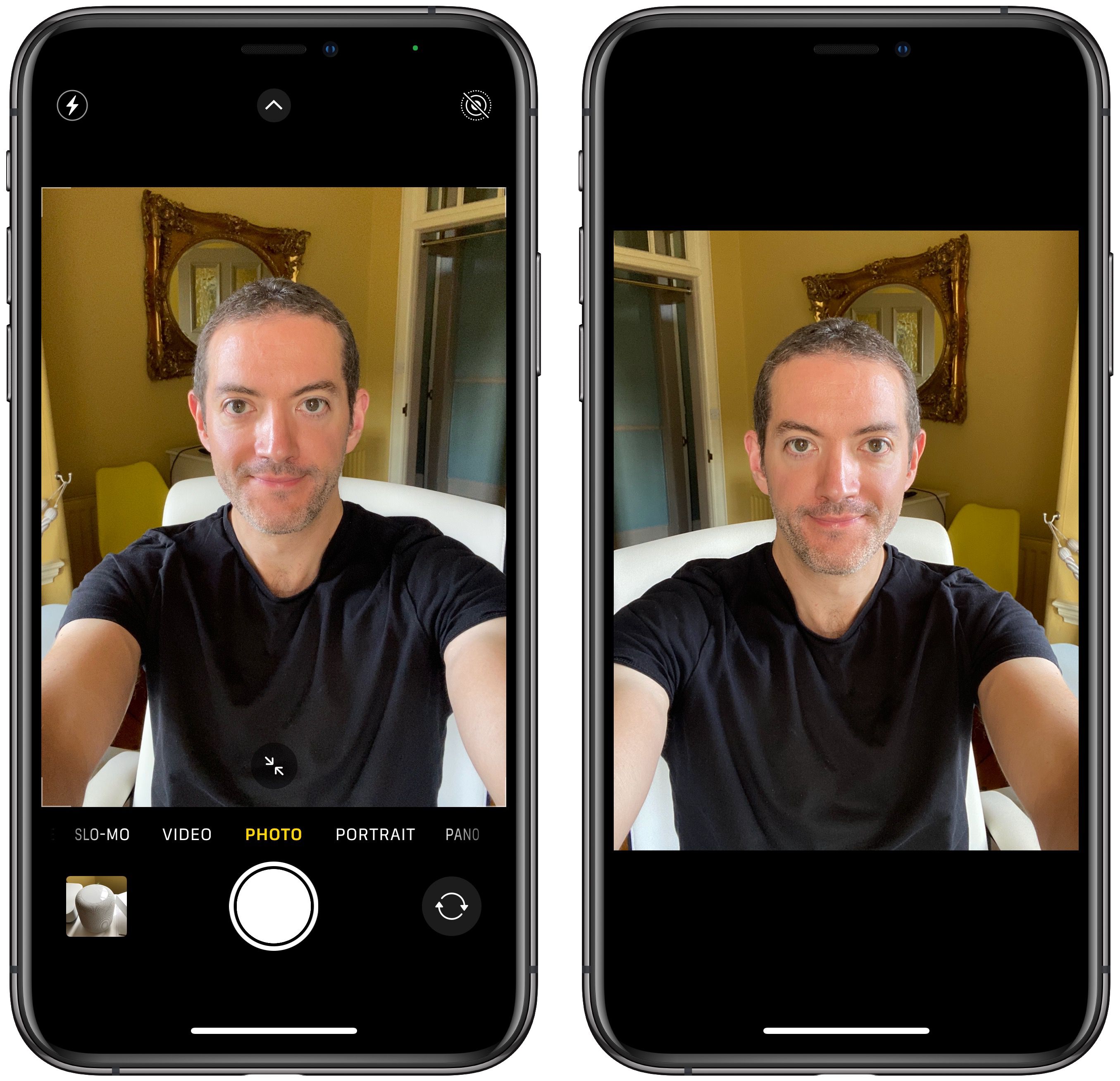
When you take a selfie with your iPhone using the stock Camera app, it automatically flips – or mirrors – the image so that it's an inverted version of the mirror image you see in the preview before you take the shot.
Preview (left) vs actual flipped selfie shot
This can look odd, since it makes a big difference to how selfies look. It can also be annoying, since most third-party social media apps automatically take mirrored selfies, which means you're more likely to be used to the mirroring functionality than the flipped selfies that your iPhone takes.
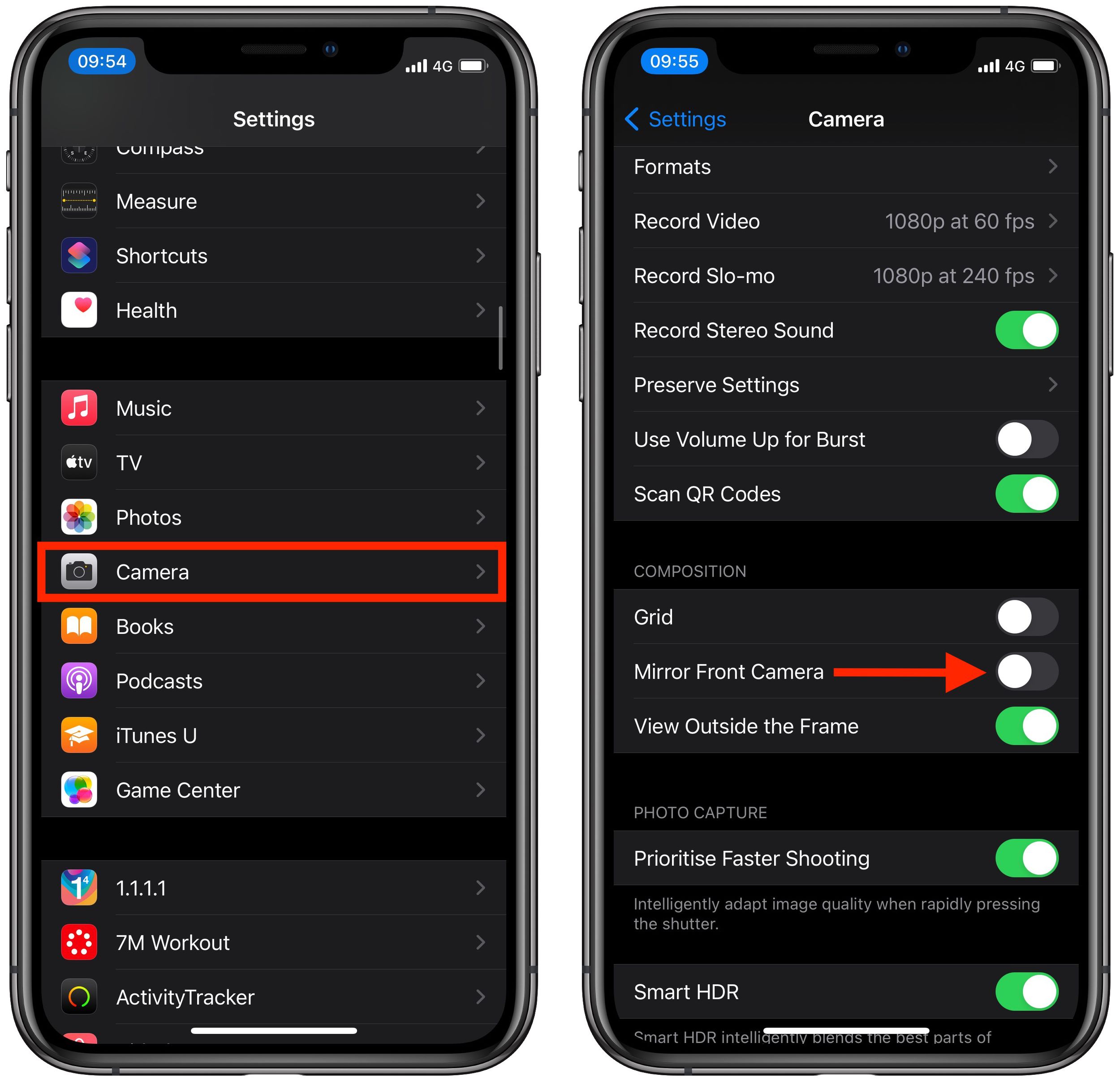
Fortunately, in iOS 14 and later, Apple has enabled users to change this default behavior of the Camera app, meaning that you can get the mirrored selfie you're probably more accustomed to seeing. Here's how.
Toggle the switch next to Mirror Front Camera to the green ON position.
That's all there is to it. From now on when you use the Camera app to shoot a selfie, you'll capture the same shot that you saw in the app's preview mode.
Friday October 23, 2026 11:05 am PDT by Juli Clover
Some iPhone Duos are already experiencing hinge issues that cause display cracks, based on photos shared on Reddit and the MacRumors forums. Almost all of the display faults are right along the hinge, and most result in a line of bright pixels across one side of the screen.
An iPhone Duo owner in Australia said his device cracked after being opened fewer than 20 times, and there was no...
Friday October 23, 2026 7:11 am PDT by Joe Rossignol
Apple Music has a 404 page easter egg on the web: a functional iPod that appears when you load a page that does not exist, such as music.apple.com/macrumors.
"Page Not Found," says Apple. "Give this a spin instead."
Apple is clever with this. If you navigate to music.apple.com/ipod instead, the page says "Looking for something?" instead of "Page Not Found."
The easter egg is only...
Saturday October 24, 2026 11:27 am PDT by Tim Hardwick
Apple's iPhone Duo has failed JerryRigEverything's latest durability test. Despite its IP68 dust-resistance rating, dust entered the hinge through several ingress points, overwhelming the magnets that hold the phone shut. The bend test then left a permanent green line across the inner display, before the screen became unresponsive.
The outer screen with Ceramic Shield 2 scratched at level 7...