How to Share an iCloud Photo Link in iOS 12
How to Share an iCloud Photo Link in iOS 12Saturday February 23, 2019 10:26 PM PST by Tim HardwickIn iOS 12, Apple has added the ability to share pictures or video in your Photo Library using an iCloud.com link that lasts for 30 d
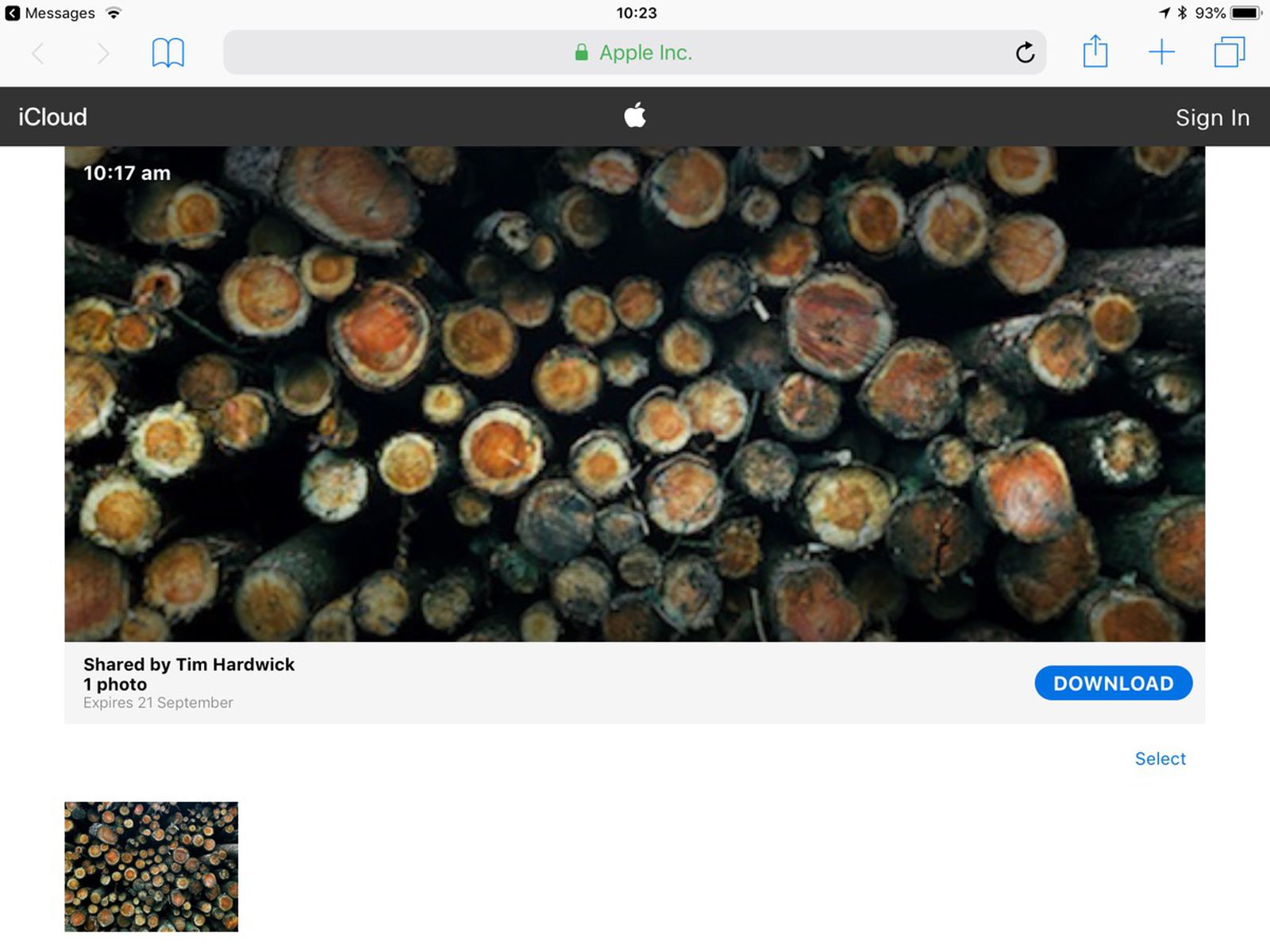
Table of Contents
How to Share an iCloud Photo Link in iOS 12
 In iOS 12, Apple has added the ability to share pictures or video in your Photo Library using an iCloud.com link that lasts for 30 days.
Not only is sharing a link quicker and less burdensome on your data allowance than sending several images or gigabytes of video, you can also share the same link as many times as you want within the expiry limit.
For the new photo link option to appear, you'll need to ensure iCloud Photos is enabled on your iOS device. To do so, launch the Settings app, tap your Apple ID at the top, select iCloud -> Photos, and make sure the toggle next to iCloud Photos is on.
How to Share an iCloud Photo Link in iOS 12
- Launch the Photos app on your iPhone or iPad
- Tap the photo you want to link to. If you want to share a link to several photos, tap Select in the upper right corner of the screen and tap the photos you want to include.
- Next, tap the Share Sheet button at the lower left corner of the screen.
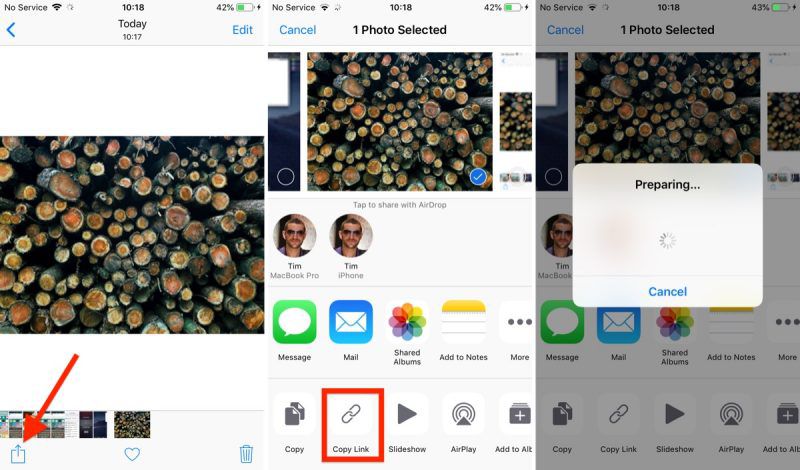
- Tap the Copy Link button in the third row of the Share Sheet.
- Wait a moment while iCloud prepares your link.
- Launch the app or service you want to use to share the link. We're using Messages in our example.
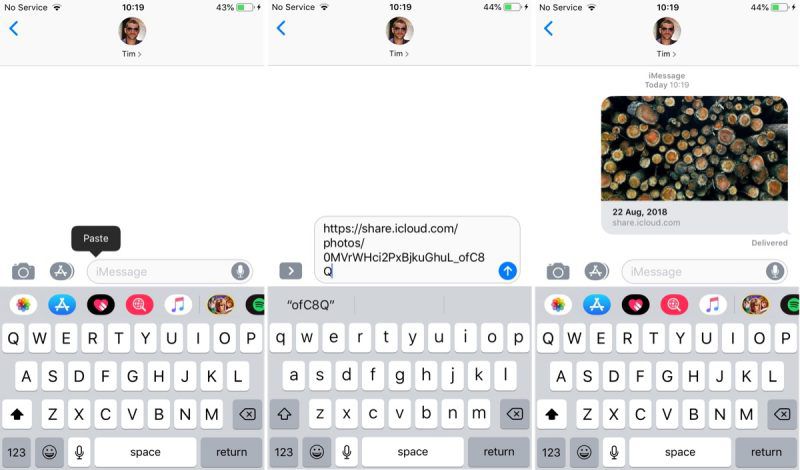
- In the message text field, tap and hold your finger.
- Tap Paste.
- Send the message to share the link.
If you share the link over Messages and the recipient is using an iOS device, they'll see a tappable thumbnail of the shared photo(s). If they're on an Android device, they'll just see the URL.
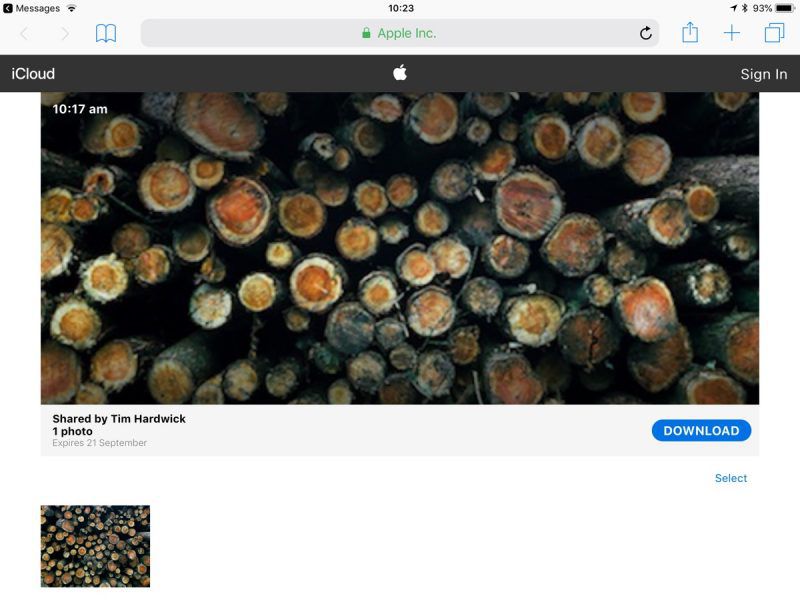
Tapping the thumbnail/URL link will take them to an iCloud.com web page similar to the one above, with a preview image, the author's name, the photo's title, an expiry date, and an option to download the photo or add it to an existing Apple Photos library. If several photos have been shared, the recipient can select which ones they'd like to add or download.
To share the same link again within the 30-day time limit, or simply stop sharing the photo altogether, launch the Photos app and navigate to the For You tab, where you'll find a Recently Shared section.
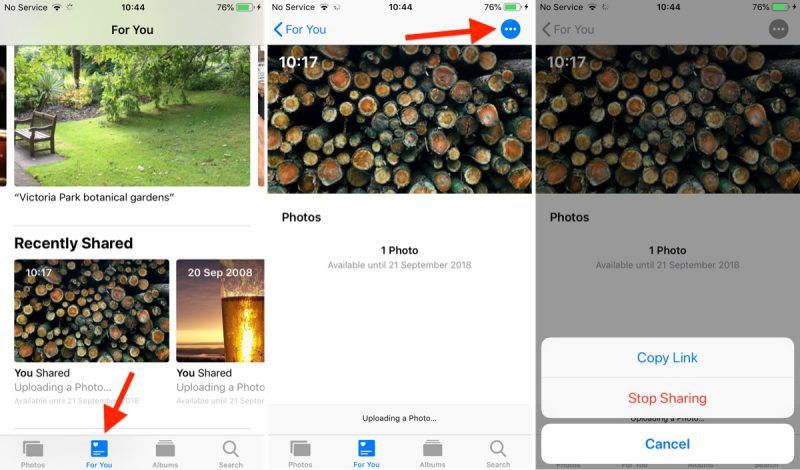
Tap the photo you shared and then tap the blue dotted button in the upper right corner of the screen, and you should see two options: Copy Link and Stop Sharing.
Popular Stories

Apple Shares Photos Shot on iPhone Duo

Apple Quietly Boosts Email Feature for iCloud+ Subscribers