
How to Subscribe to Calendars on iPhone and iPad
How to Subscribe to Calendars on iPhone and iPadThursday August 16, 2018 1:43 AM PDT by Tim HardwickCalendar subscriptions offer a convenient way for you to stay up to date with everything from national holidays to the match fixtu
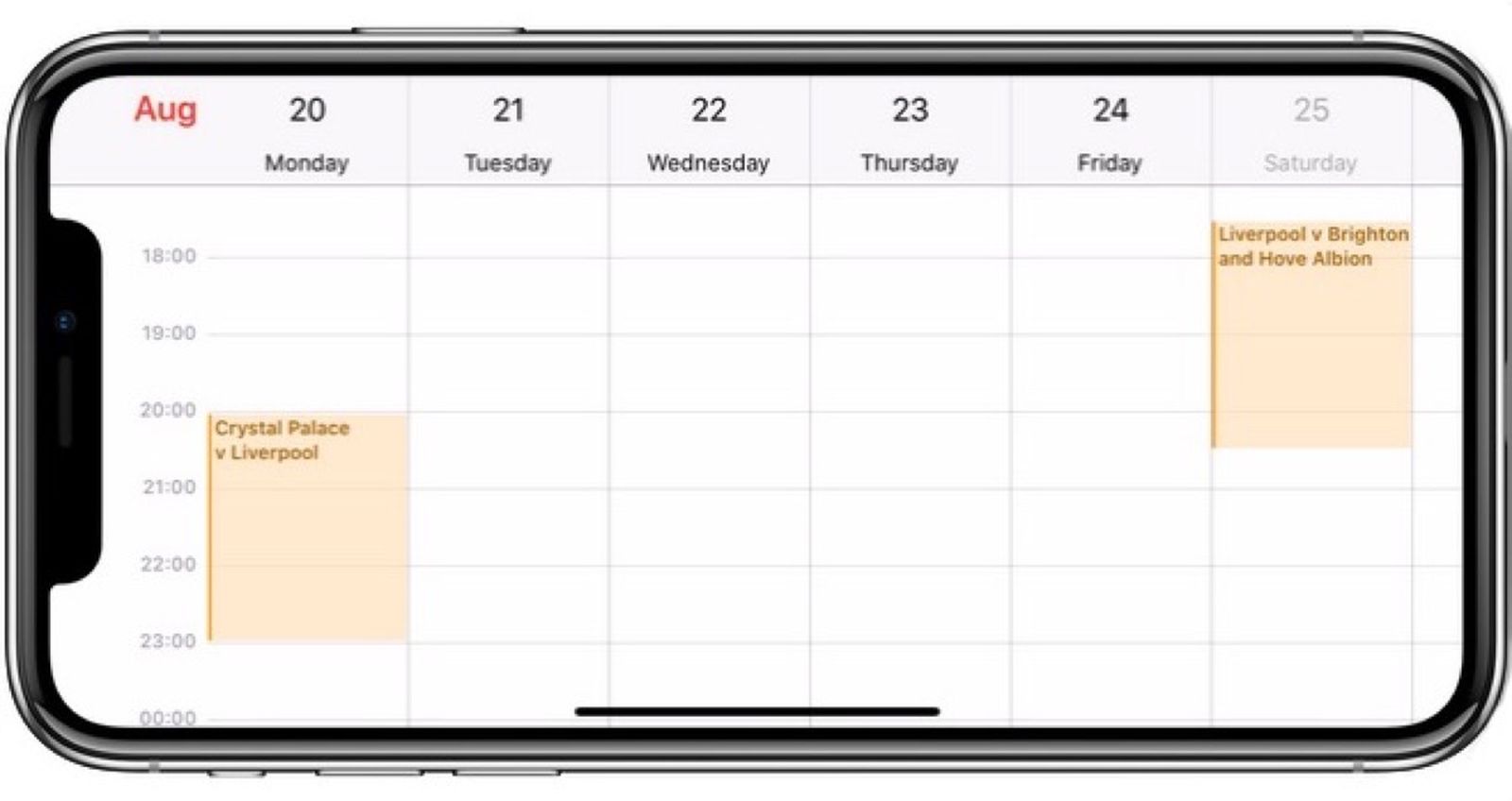
Table of Contents
- 1. How to Subscribe to a Calendar in iOS 11
- 2. How to Remove a Calendar Subscription in iOS 11
- 3. Popular Stories
- 4. Apple Responds to iPhone Duo Display Cracking Reports
- 5. Crackgate? iPhone Duo Owners Report Screens Breaking Along the Hinge
- 6. Apple Announces New iPad Mini With 8.5-Inch OLED Display, A20 Pro Chip, and More
- 7. Next Article
How to Subscribe to Calendars on iPhone and iPad
Calendar subscriptions offer a convenient way for you to stay up to date with everything from national holidays to the match fixtures for your favorite sports team. In this article, we'll show you how to subscribe to a public calendar on your iPhone or iPad – all you need in advance is the web address of the calendar (ics) file.
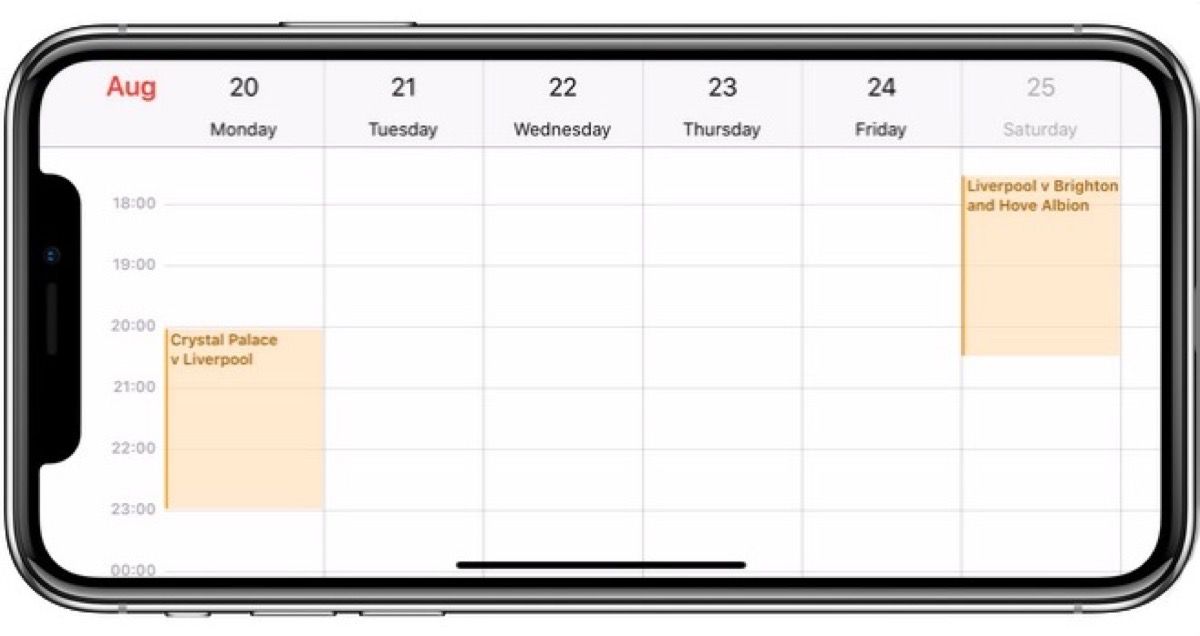
Note that if you want a calendar subscription to sync across all devices signed into your iCloud account, you'll need to subscribe to it on your Mac. To do so, open the Calendar app in macOS and select File -> New Calendar Subscription, enter the URL of the calendar to subscribe to, and then select iCloud in the Location menu.
How to Subscribe to a Calendar in iOS 11
- Launch the Settings app on your iPhone or iPad.
- Tap Accounts & Passwords.
- Under the Accounts section, tap Add Account.
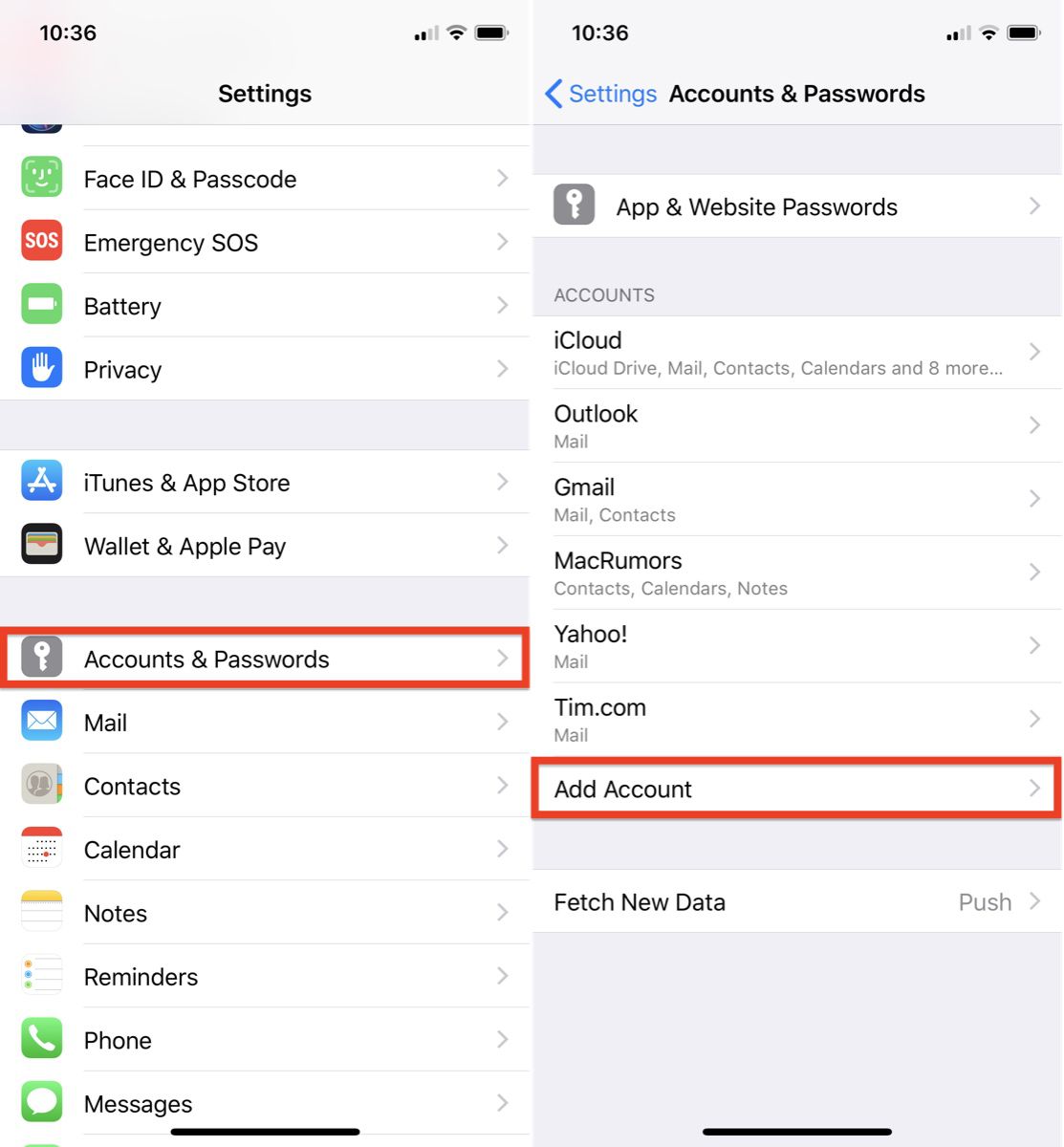
- Tap Other.
- Under Calendars, tap Add Subscribed Calendar.
- Type in your calendar link in the Server field; to paste in a copied link, tap and hold the field and select Paste.
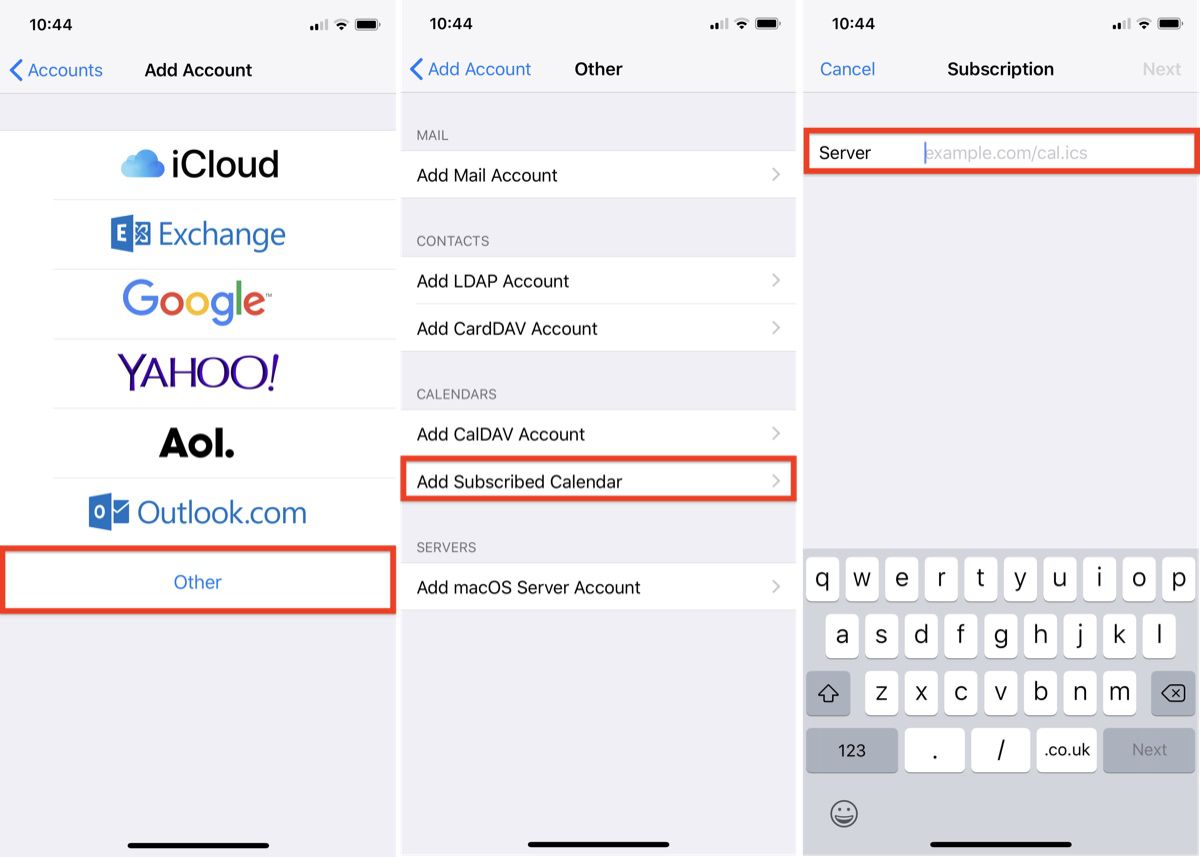
- Tap Next.
- Use the Description field to give the calendar an easily recognizable name.
- Enter a server username and password if required (most users will be able to skip this step).
- Tap Save.
How to Remove a Calendar Subscription in iOS 11
- Launch the Settings app on your iPhone or iPad.
- Tap Accounts & Passwords.
- Tap Subscribed Calendars.
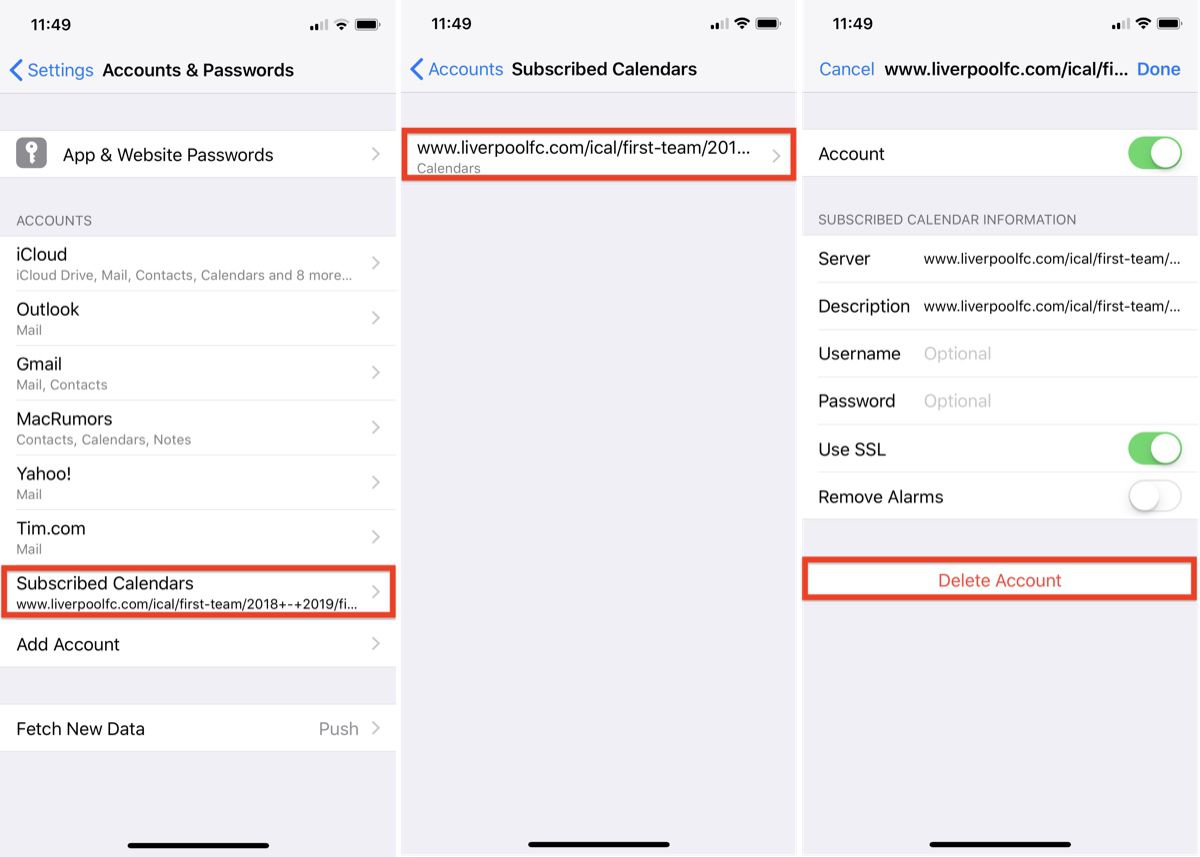
- Tap the calendar subscription you want to remove.
- Tap Delete Account.
Popular Stories

Apple Responds to iPhone Duo Display Cracking Reports

Crackgate? iPhone Duo Owners Report Screens Breaking Along the Hinge

