
How to Use Quick Look in macOS Mojave
How to Use Quick Look in macOS MojaveMonday September 24, 2018 5:19 PM PDT by Tim HardwickIn previous versions of macOS, the Quick Look feature lets you view photos and files without having to open them in an app. In macOS Mojave,

Table of Contents
How to Use Quick Look in macOS Mojave
In previous versions of macOS, the Quick Look feature lets you view photos and files without having to open them in an app. In macOS Mojave, Apple has also introduced some convenient new editing tools to Quick Look, allowing you to perform actions specific to the kind of file you're viewing. Let's take a look at how it all fits together.

How Quick Look Works
For those unfamiliar with Quick Look, the feature can be used for items on the Desktop, in Finder windows, in emails, in messages, and other places. It supports numerous file types, including HTML, PDF, Plain text, RTF, iWork, MS Office, RAW, JPEGs, and QuickTime formats. To activate it, simply select one or more items, then press the Spacebar or force-click using your Mac's trackpad.
In the top left of the Quick Look window you'll find the Maximize button next to the Close button. (You can also manually enlarge the window by dragging the corners.) Open with [App] and Share buttons are located in the top-right corner of the Quick Look window, along with a Rotate Left button if you're working with images or video.
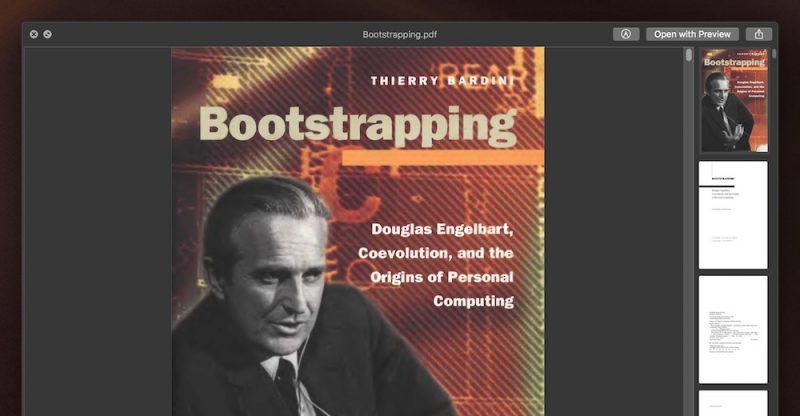
As before, if you select multiple items, you'll see arrow buttons to navigate through them, as well as a Sheet View button to see the items in an index sheet view. If you opened a document such as a PDF, you'll see a column of thumbnails along the side of the window for quickly navigating through the pages.
What's New in Quick Look
New to Quick Look in Mojave is the ability to access Markup tools. Simply click the Markup button to reveal the toolset.

Quick Look lets you draw on and annotate images or PDF documents using arrows, shapes, and text. You can also use Markup to quickly sign a document with your digital signature. Click Done, and your changes are automatically saved.

If you're viewing a video file in Quick Look, you'll see a new Trim button that allows you to trim the clip without having to open QuickTime.

Clicking the Trim button reveals the scrubbing and edit ribbon along the bottom of the clip. You can click anywhere in the ribbon to jump to another point in the video, and drag the edges of the yellow frame to trim the clip to the desired length.

Again, simply click Done when you're finished and your changes are automatically saved.
Popular Stories

Apple Responds to iPhone Duo Display Cracking Reports

Crackgate? iPhone Duo Owners Report Screens Breaking Along the Hinge

