How to View Photos on Apple Watch
How to View Photos on Apple WatchThursday June 11, 2015 11:31 AM PDT by Lory GilThe Apple Watch may have a small screen, but it's still large enough to show off those pictures of your little one's dance recital to the grandparents
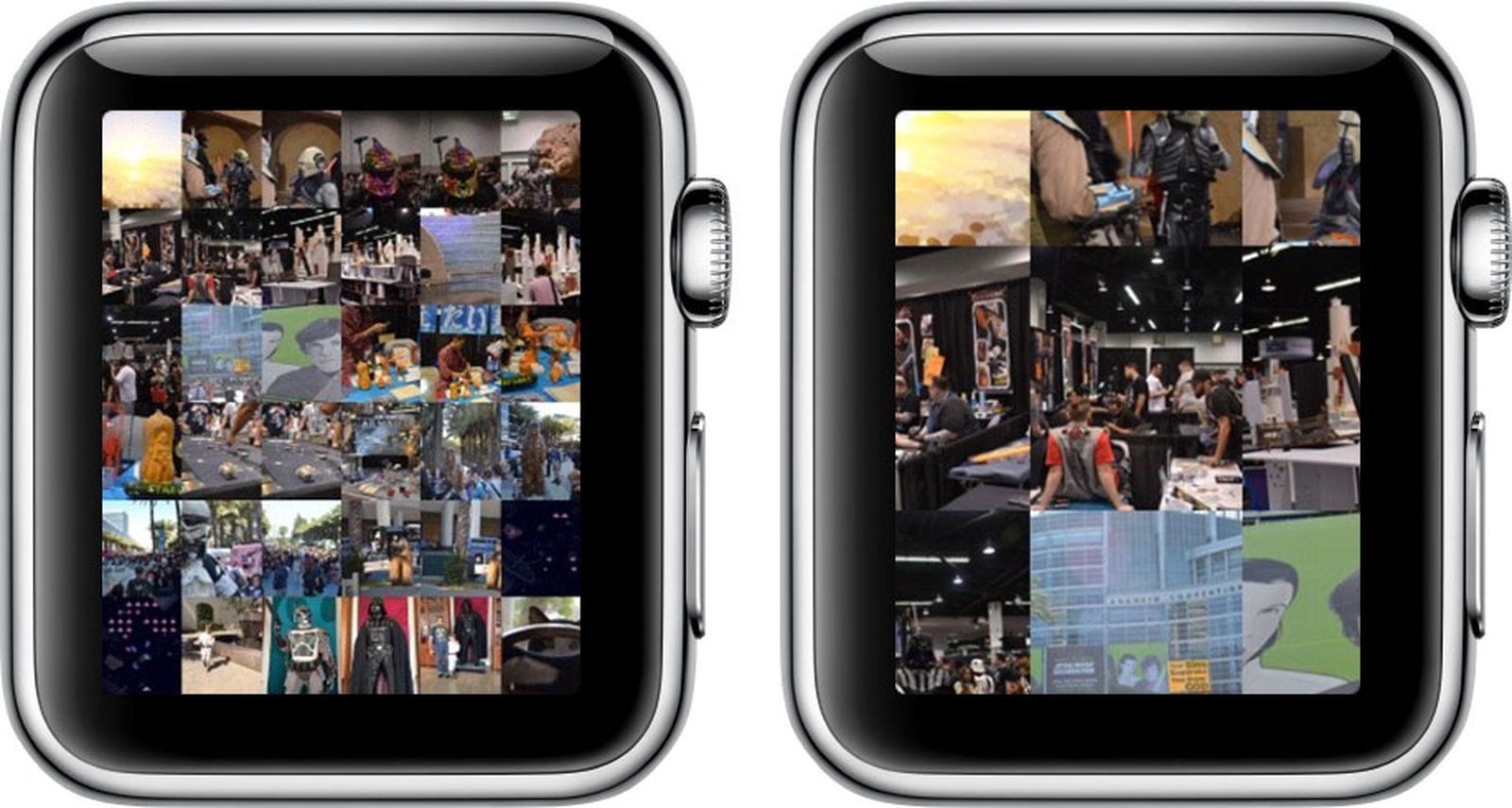
Table of Contents
- 1. Create an Album in Photos on iPhone
- 2. Sync an Album to Apple Watch
- 3. Manage Photo Storage
- 4. Use Photos App to View a Synced Album
- 5. Popular Stories
- 6. Apple Shares Photos Shot on iPhone Duo
- 7. Apple Watch Series 12, Ultra 4 Owners Report Skin Irritation
- 8. iPhone Duo's Hidden FaceTime Camera Takes 'Trash' Photos
- 9. Next Article
How to View Photos on Apple Watch
The Apple Watch may have a small screen, but it's still large enough to show off those pictures of your little one's dance recital to the grandparents. As long as you've got an album synced from your iPhone, you can even view pictures while your smartphone is out of range.

To help you get the most out of your photo viewing experience, we've put together this tutorial to explain how to set up and customize the Photos app on Apple Watch
Create an Album in Photos on iPhone
The first step to getting the most important pictures on your Apple Watch is to create an album for it in your Photos app on iPhone.
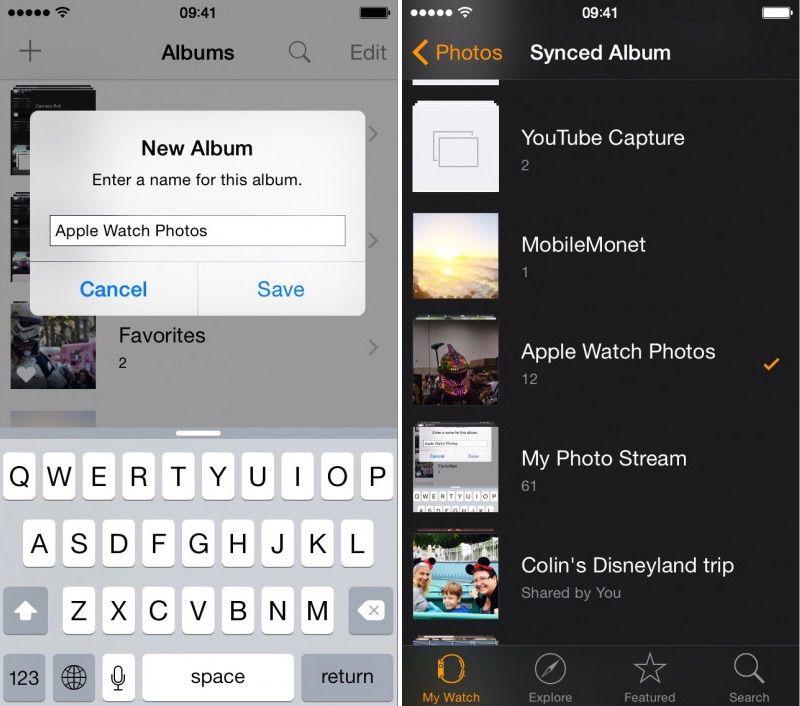
- Open the Photos app on the iPhone and select "Albums." Then tap the add icon (+) to create a new one.
- Name the new album. For simplicity, I named mine Apple Watch Photos.
- Select the photos you wish to add to the album and select done.
Sync an Album to Apple Watch
- Open the Apple Watch app on your iPhone and navigate to My Watch.
- Scroll down and select the Photos app from the list.
- Tap Synced Album. Then select your newly created Apple Watch album.
- Photos will automatically sync with your Apple Watch and be available to view, even when your iPhone is out of range.
You can also select a preexisting album instead. You might prefer the immediacy of syncing with your Camera Roll or Photo Stream for currently added pictures instead. The Apple Watch Photos app is defaulted to your Favorites album.
Manage Photo Storage
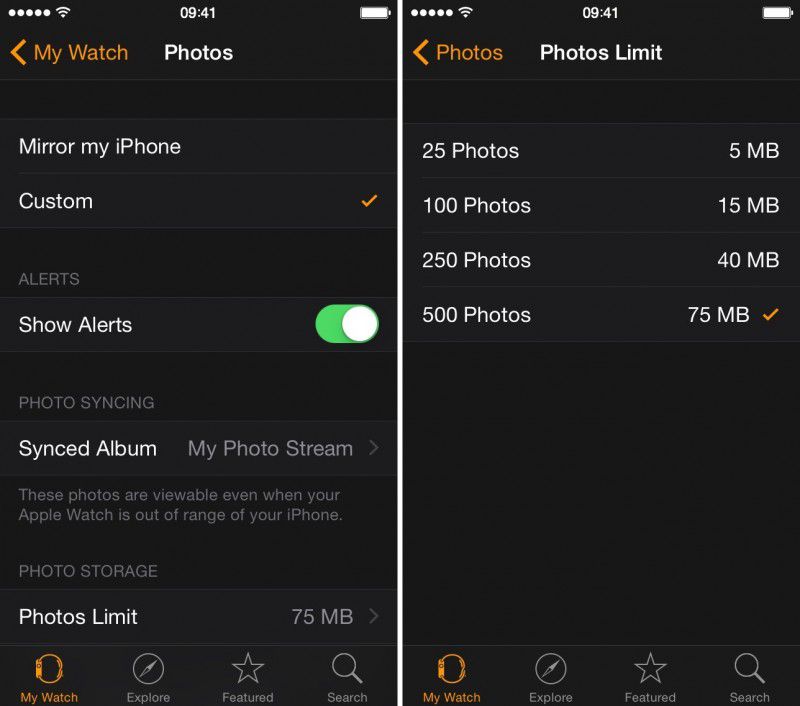
You can customize how many photos you want synced to your Apple Watch for more control over how much room they take up. Select from 25 to 500 photos or five to 75 MB of storage space.
Use Photos App to View a Synced Album
 Once you've synced an album to Apple Watch, view the pictures on your wrist via the Photos app. When you open it, the first screen will be a collage of all pictures in your album. Rotate the Digital Crown to zoom in.
Tap a picture to view it full screen. Use the Digital Crown to zoom in closer. Drag your finger on the screen to pan. Double Tap to fill the screen. Double-tap again to see the full picture. You can browse your album by swiping to the left or right to switch between photos.
Now that you know how to set up and customize your Photos app on Apple Watch, showing off important moments in your life will be simple.
When Apple updates watchOS to version 2 later this year, we will also be able to view videos from within the Photos app and use single photos or photo albums as backgrounds for watch faces.
Popular Stories

Apple Shares Photos Shot on iPhone Duo

Apple Watch Series 12, Ultra 4 Owners Report Skin Irritation