
iOS 15.2 Beta: How to Help Return Lost Find My Items
iOS 15.2 Beta: How to Help Return Lost Find My ItemsWednesday November 10, 2021 5:53 PM PST by Tim HardwickUpdate December 13: This change did not make it into the final release of iOS 15.2, but may reappear in a future update. In

Table of Contents
iOS 15.2 Beta: How to Help Return Lost Find My Items
Update December 13: This change did not make it into the final release of iOS 15.2, but may reappear in a future update.
In iOS 15.2, which is available in beta right now, Apple introduced new features for the Find My app, including a new way to search for items that might be lost so that you can help return them to their rightful owner.

The new Unknown Items feature is called "Help Return Lost Items" and when activated, it will scan for anything that's nearby that belongs to someone else and let you know about it.
If anything is detected, such as an AirTag or other Find My-enabled item, Apple can provide you with the contact details of the owner so that you can return it to them.
The following steps show you how to activate the feature in iOS 15.2. Note that items can only be found if they are not in range of their owner's device, up to 50 meters.
- Launch the Find My app on your iPhone.
- Tap the Items tab at the bottom of the screen.
- Drag the items card further up onto the screen using the small pill-shaped handle to reveal more options.
- Tap Help Return Lost Items.
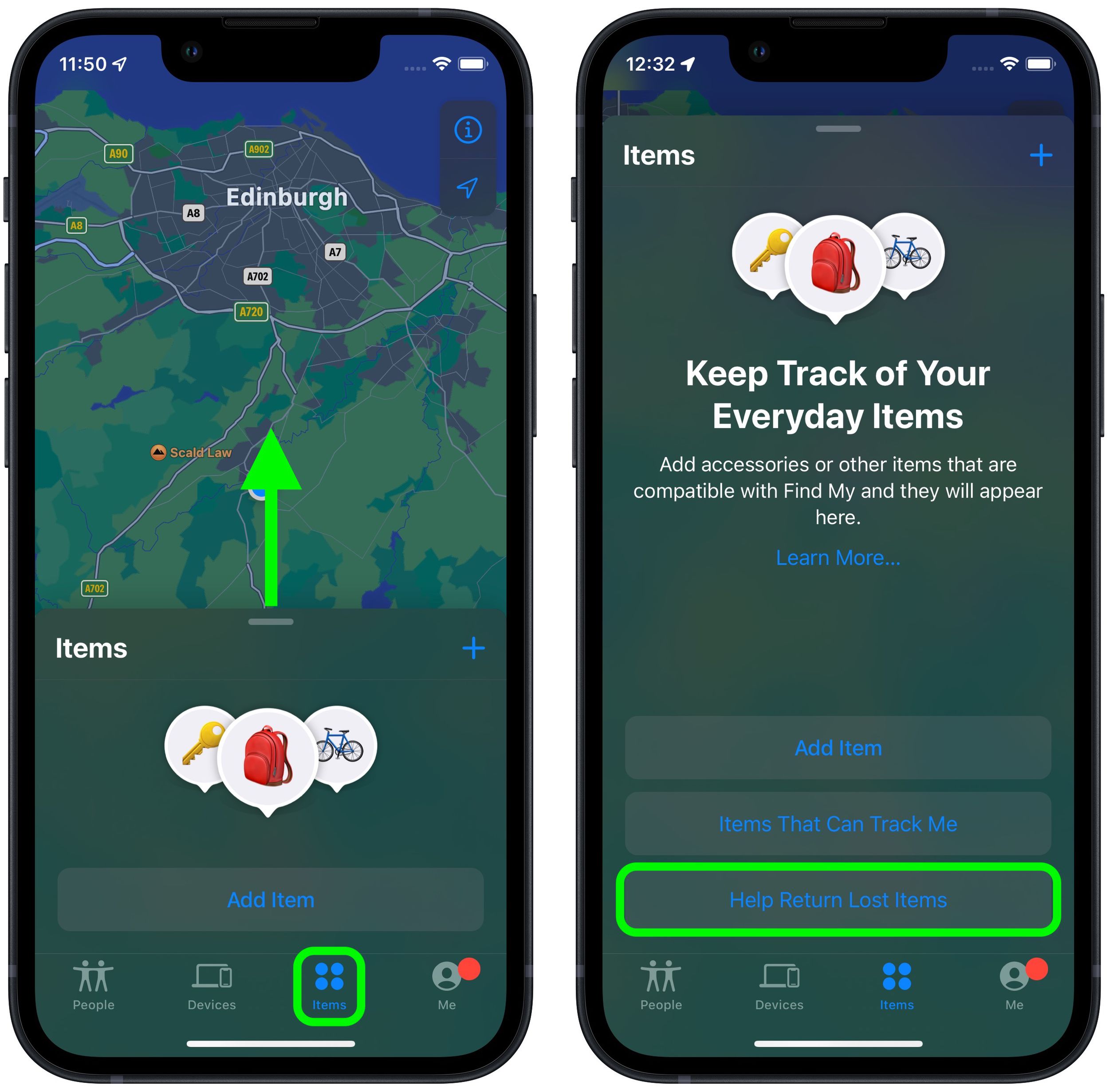
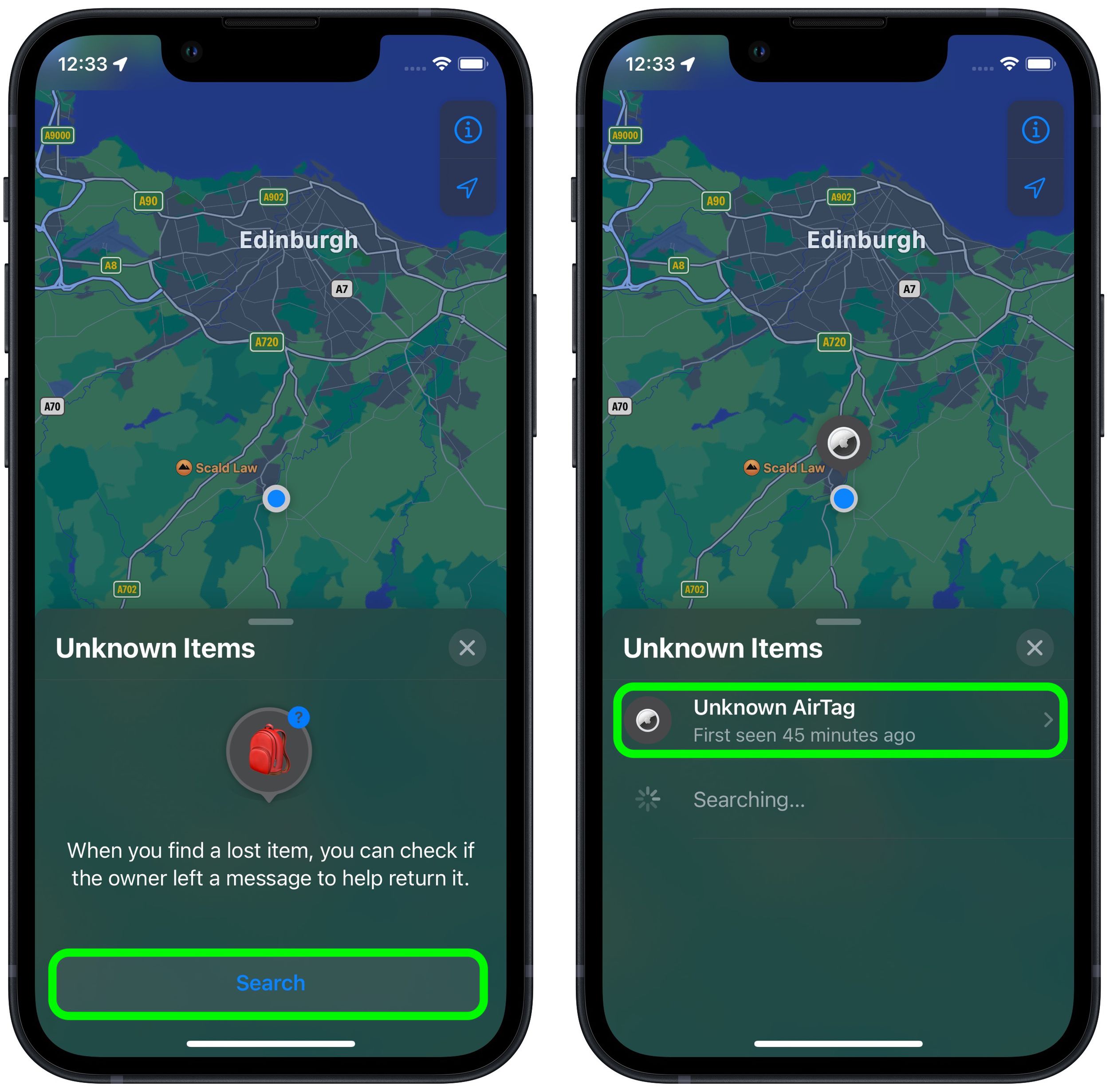
- Tap the Search button.
- Look at the list titled "Unknown Items." If a device is discovered, tap it for more information.
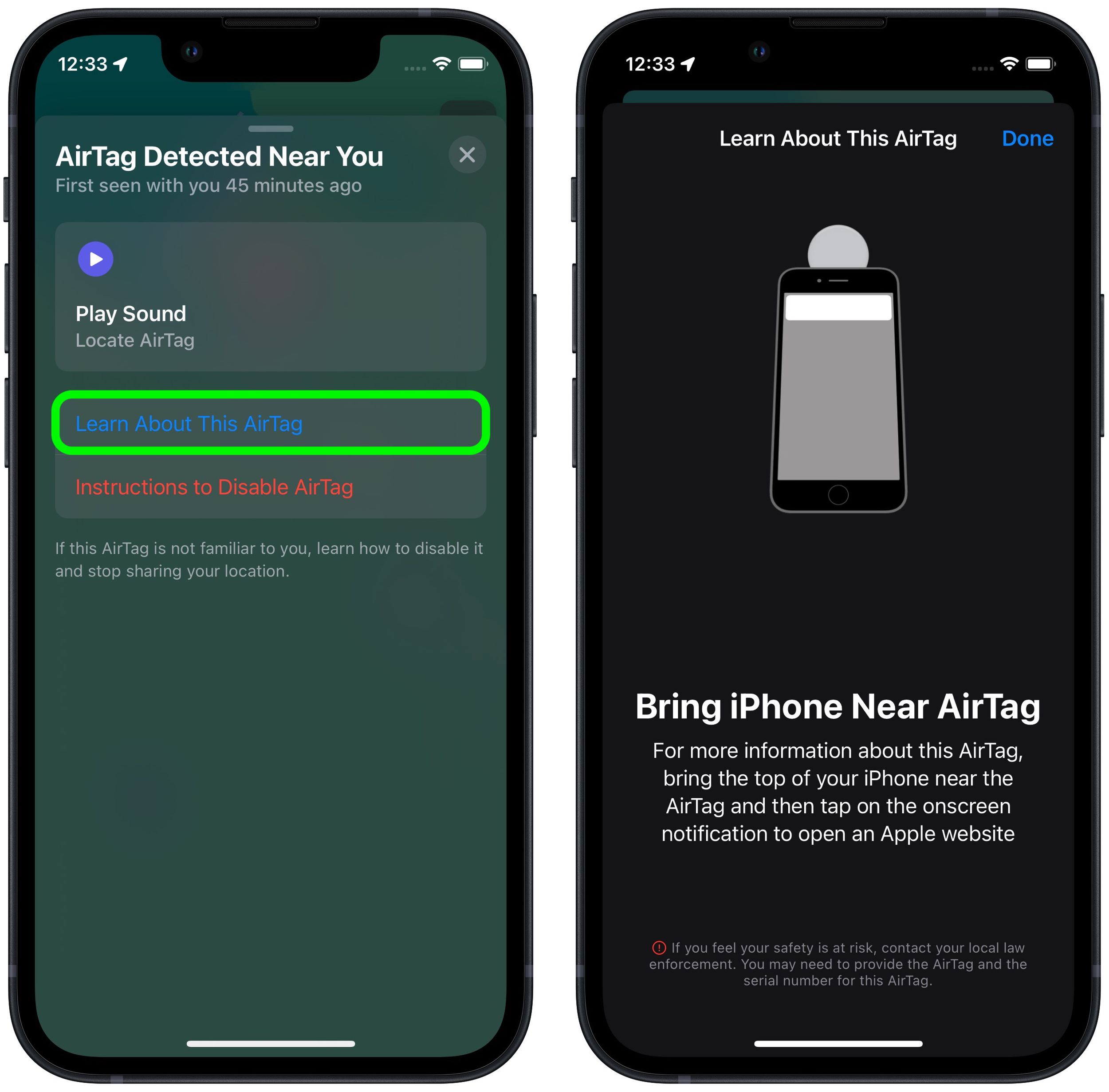
- If it's an AirTag, you can optionally tap Play Sound to more exactly locate it. Tap Learn More About This AirTag to see if its owner has added contact details in case the item is lost.
- Bring your iPhone near the AirTag and then tap the onscreen notification to open an Apple website, where you should find contact information for the owner.
Even if an AirTag isn't in Lost Mode, if it's been separated for a period of time from its owner then it will make a sound to alert anyone nearby.
AirTags can only be used to track items via an iPhone or iPad with the Find My app. Apple sells individual AirTags for $29 or a pack of four for $99. For more details on AirTag item trackers, check out our dedicated guide.
Popular Stories

Elevation Lab Pulls AirTag Silencer After Stalking Concerns

Older Siri Remotes Now Show Up in Find My With iOS 27.2

