
How to Check Which Version of the Irregular Rhythm Notification feature Your Apple Watch is Using
How to Check Which Version of the Irregular Rhythm Notification feature Your Apple Watch is UsingWednesday March 16, 2022 12:50 PM PDT by Tim HardwickAtrial fibrillation is a health condition that often goes undiagnosed, so ECG ap

Table of Contents
How to Check Which Version of the Irregular Rhythm Notification feature Your Apple Watch is Using
Atrial fibrillation is a health condition that often goes undiagnosed, so ECG app and heart rhythm alerts on Apple Watch are highly useful for detecting early signs of disease. ECG readings also normally require a full ECG machine and a visit to the doctor, which is far less convenient than a reading taken with the Apple Watch.
The irregular rhythm notification feature intermittently checks heart rhythm in the background and sends a notification if an irregular heart rhythm is identified that could potentially be atrial fibrillation (AFib). Upon receiving a notification, users in territories where the feature is approved can immediately launch the ECG app and perform a more comprehensive test in just 30 seconds by placing their finger on the Digital Crown to generate an ECG waveform.
Apple has designed two algorithms that Apple Watch uses to measure electrocardiogram (ECG) waves. The second algorithm improves upon the first, by allowing the ECG app to check for atrial fibrillation (AFib) at higher heart rates - during exercise, for example. However, because of regulations in your country or region, version 2 might not be available to you. You can verify which version of the irregular rhythm notification feature you have on your Apple Watch or iPhone by following these steps.
On Apple Watch
- On your Apple Watch, press the Digital Crown and select the Settings app.
- Scroll down and select Heart.
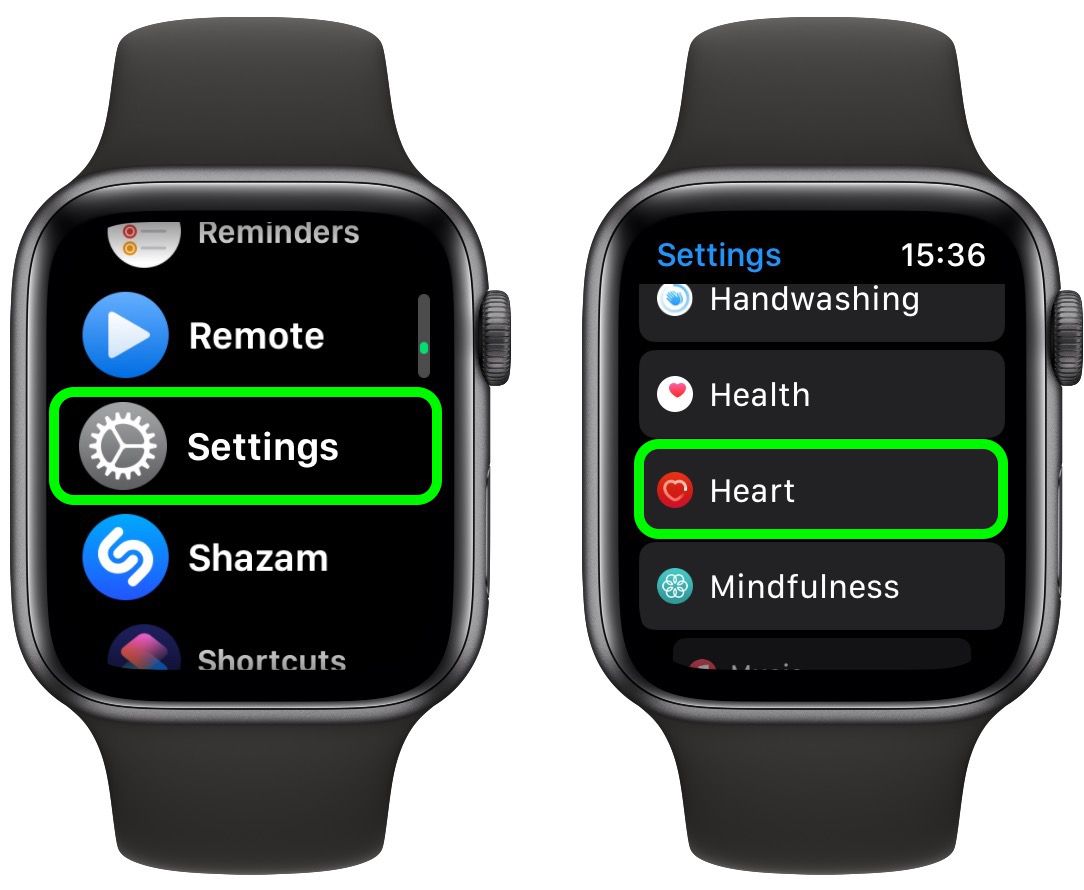
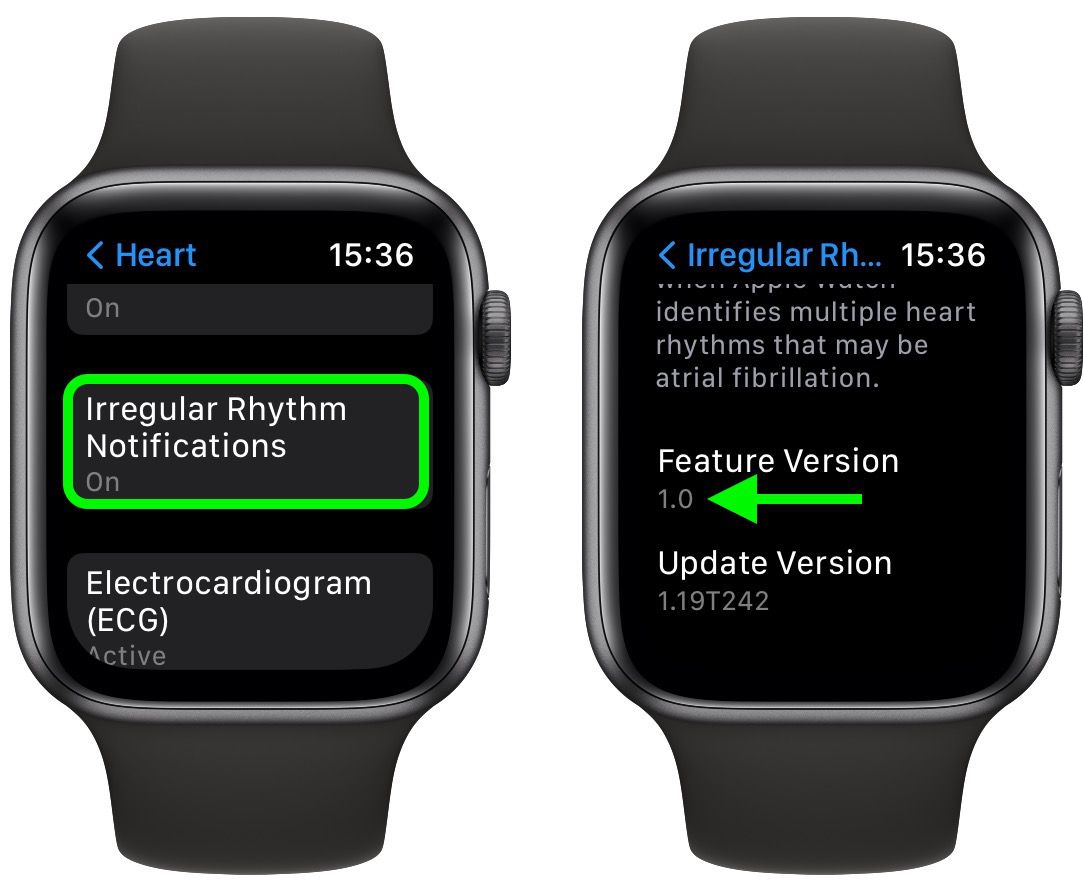
- Tap Irregular Rhythm Notifications.
- Scroll down to view the version number.
On iPhone
- On your iPhone, open the Health app.
- Tap the Browse tab.
- Scroll down and tap Heart.
- Tap Irregular Rhythm Notifications.
- Scroll down to Options, then tap About.
The version number of the irregular rhythm notification is listed next to Feature Version.
Popular Stories

Apple Watch Series 12, Ultra 4 Owners Report Skin Irritation
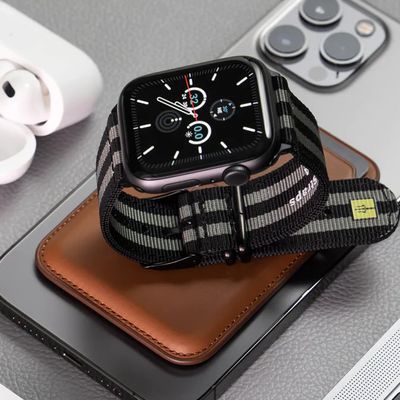
MacRumors Giveaway: Win an Apple Watch Series 12 and a Nylon Band From Southern Straps

