NEWS · Apple How-To

How To Eject Water From Your Apple Watch Using the Water Lock Feature

How To Eject Water From Your Apple Watch Using the Water Lock FeatureMonday February 3, 2020 3:00 AM PST by Tim HardwickApple Watch Series 2 and newer models are water resistant and can be worn for shallow water activities like sw

vinkoweb · Oct 28, 2026 · 3 views
How To Eject Water From Your Apple Watch Using the Water Lock Feature
Table of Contents
  1. 1. Popular Stories
  2. 2. Apple Watch Series 12, Ultra 4 Owners Report Skin Irritation
  3. 3. MacRumors Giveaway: Win an Apple Watch Series 12 and a Nylon Band From Southern Straps
  4. 4. Apple's $634 Million Apple Watch Patent Bill Just Got Even Bigger
  5. 5. Next Article

How To Eject Water From Your Apple Watch Using the Water Lock Feature

by Tim Hardwick

Apple Watch Series 2 and newer models are water resistant and can be worn for shallow water activities like swimming in a pool or ocean, but that doesn't mean water can't get inside.

water lock apple watch
If your Apple Watch gets wet in the rain or after a swim or a heavy workout, its speaker may sound muffled. There's no need to insert anything into the openings though, and you don't need to shake your watch to remove any water that may have got inside.

‌Apple Watch Series 2‌, Series 3, Series 4 and Series 5 include a Water Lock feature, which locks the screen so you can swim without activating it. You can also use this feature at any time to eject water out of the speaker holes and prevent moisture from causing long-term issues.

To manually clear water from Apple Watch, follow these quick steps.

  1. Bring up the Control Center on your ‌Apple Watch‌: Swipe up on a watch face, or when in an app, press the bottom edge of the screen then drag up the Control Center.
  2. Tap the Water Lock icon (it looks like a water droplet).
    Apple Watch
  3. When you're back in a dry environment, press and hold the Digital Crown to unlock the screen and clear water from the speaker.
    Apple Watch

As you turn the Digital Crown, you'll hear noises and see an animation on the screen that will indicate when the speaker is clear of water and when the process is complete.

Related Roundup: Apple Watch 12
Buyer's Guide: Apple Watch (Buy Now)
Related Forum: Apple Watch
apple watch s12 ultra 4

Apple Watch Series 12, Ultra 4 Owners Report Skin Irritation
Wednesday October 7, 2026 12:02 pm PDT by Juli Clover
Some Apple Watch Series 12 and Ultra 4 owners have experienced unexpected skin irritation with the new models, according to reports on the MacRumors forums and Reddit. Affected users complain of a burning sensation and redness under the sensor area. The Apple Watch Series 12 and Ultra 4 measure heart rate every five seconds, and some people have wondered if that's the cause of the skin...
southern straps 3 1

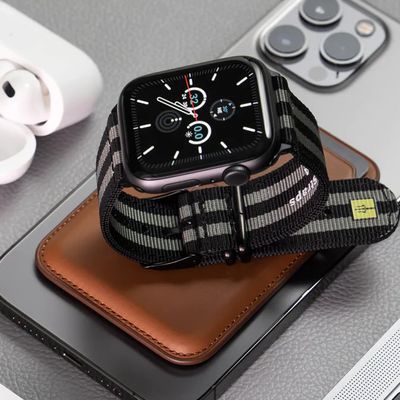
MacRumors Giveaway: Win an Apple Watch Series 12 and a Nylon Band From Southern Straps

Friday October 9, 2026 10:20 am PDT by Juli Clover
For this week's giveaway, we've teamed up with Southern Straps to offer MacRumors readers a chance to win an Apple Watch Series 12 and a nylon band from Southern Straps to go along with it. Southern Straps is a California-based company that has been making high-quality bands for the Apple Watch since the device first launched in 2015, and the company's selection of bands offer a an...
apple watch series 6 blood oxygen monitoring 1

Apple's $634 Million Apple Watch Patent Bill Just Got Even Bigger

Tuesday October 6, 2026 6:09 am PDT by Tim Hardwick
Apple's $634 million patent loss to medical technology company Masimo has just gotten even bigger, after a federal judge ordered Apple to pay an additional $184 million in interest on what it owes (via Bloomberg Law). The ruling takes Apple's bill to around $818 million, but that doesn't include any post-judgment interest continuing to accrue until the judgment is paid. Judge James Selna ...
'); }
← More tech stories