
How to Get Charging Reminders and Notifications for Apple Watch
How to Get Charging Reminders and Notifications for Apple WatchTuesday March 29, 2022 1:58 PM PDT by Tim HardwickThis article explains how to get daily Apple Watch charging reminders and "fully charged" Apple Watch notification al
Table of Contents
How to Get Charging Reminders and Notifications for Apple Watch
This article explains how to get daily Apple Watch charging reminders and "fully charged" Apple Watch notification alerts on your iPhone. Keep reading to learn how it's done.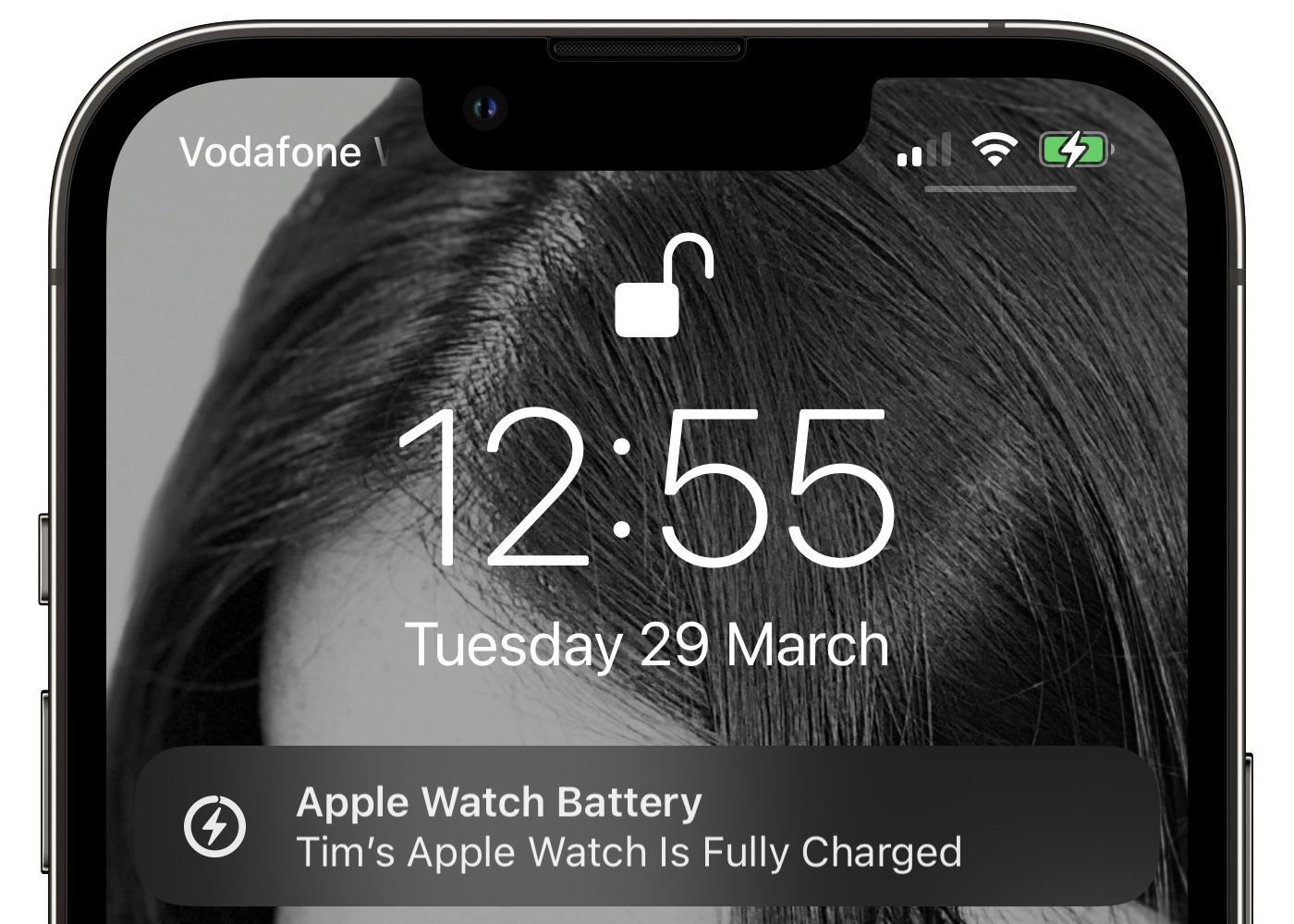
Despite the fact that Apple Watch has been updated each year since it was first launched in 2015, the battery life of Apple's latest Series 7 smartwatch still only promises "up to 18 hours" of use on a single charge.
That means you need to set the Apple Watch on its charging puck in the evening if you want it to track your sleep throughout the night. If you forget to charge it before bedtime, there's a good chance it will run out of battery in the night and you'll then have to give it ample time to gain a full charge in the morning.
To help avoid this situation, Apple has included an option so that you can receive reminders to charge your watch before your scheduled wind down time and then get notified on your iPhone when Apple Watch is fully charged. If your watch is at less than 30% battery an hour before you are scheduled to start sleeping, then you'll get an automatic reminder to charge it. Here's how to turn it on.
- On your iPhone, open the Watch app.
- Select the My Watch tab.
- Scroll down and select Sleep.
- Under "Battery," toggle on the switch next to Charging Reminders.
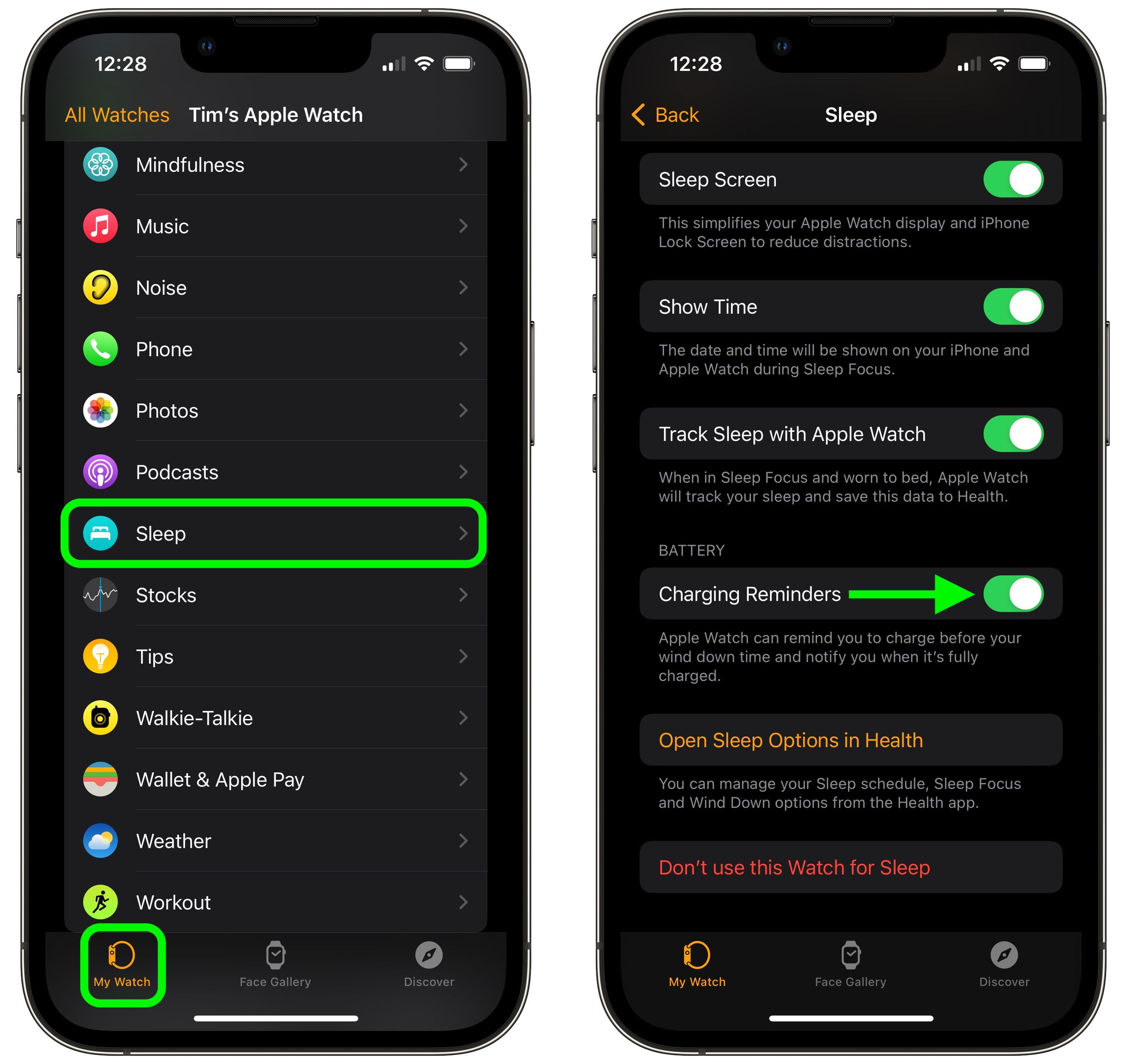
That's all there is to it. Note that the Charging Reminders option won't appear unless you've already opted to Use this Watch for Sleep in the Watch iOS app's Sleep menu. You can then use the Health app to set your sleep schedule.
Popular Stories

Apple Responds to iPhone Duo Display Cracking Reports

Crackgate? iPhone Duo Owners Report Screens Breaking Along the Hinge

