How to Learn Which Apps Will Stop Working on Your Mac When 32-Bit Support Ends
How to Learn Which Apps Will Stop Working on Your Mac When 32-Bit Support EndsTuesday June 5, 2018 3:57 AM PDT by Tim HardwickApple has begun the process of phasing out 32-bit applications on Macs, which is why many users who upgr

Table of Contents
How to Learn Which Apps Will Stop Working on Your Mac When 32-Bit Support Ends
Apple has begun the process of phasing out 32-bit applications on Macs, which is why many users who upgraded to macOS 10.13.4 or later will have come across the following warning message the first time they launch certain older apps.
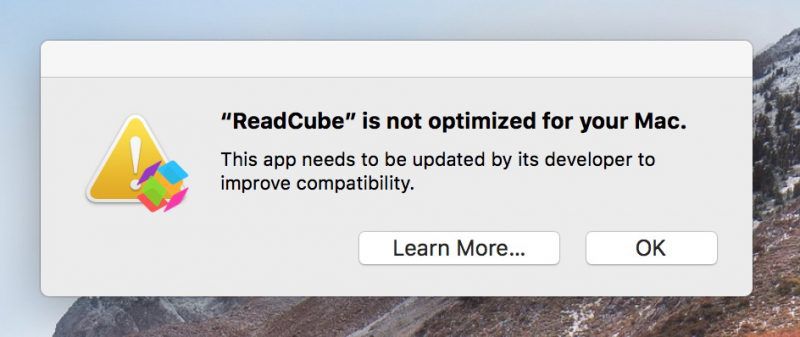
This is the first of many warnings Apple plans to provide as it works to put an end to 32-bit apps on the Mac, as it did on iOS devices with the release of iOS 11. Apple has confirmed that macOS 10.14 Mojave, set for public release in the fall, will be the last version of macOS to allow 32-bit apps to run, but it will include more "aggressive" warnings about their use before they are phased out entirely.
In this article, we'll show how you can quickly find out which apps installed on your Mac are 64-bit and which are still living in the 32-bit age. If you don't rely on apps that fall in the latter camp, you can safely uninstall them. However, if you're a frequent user of one of these apps, try contacting the developer to find out if a 64-bit version is in the works. If one isn't planned, try and find an alternative app with similar functionality before the time comes when it refuses to launch.
How to Identify 32-Bit Apps on Your Mac
- Click the Apple symbol () in the menu bar on your Mac's desktop.
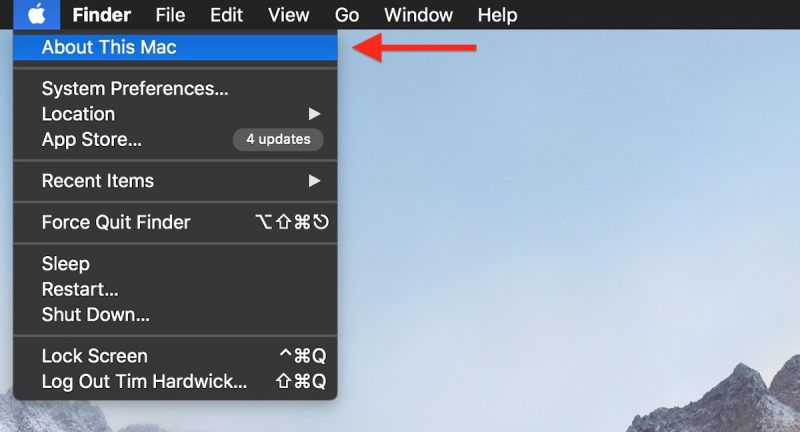
- Click About This Mac.
- In the macOS Overview pane that appears, click the System Report... button.

- In the information window that appears, scroll down the left column and click Applications under the Software list, then wait a moment while your Mac generates a list of installed apps.
- When the list of apps appears, click the 64-Bit (Intel) label to bring any 32-bit apps to the top of the column.
- Drag down the divider using the center dot to expand the viewable list of apps.

Anything in the list that has a "Yes" under the 64-Bit column is good to go, but there are several in our example listed as "No", which means they're 32-Bit and will stop working in a future version of macOS.

Some popular apps in the above list, like Steam and Google Music Manager, will likely have 64-bit versions available in good time, but other items – old Brother printer drivers and utilities, for example – may not survive a forthcoming upgrade, and it could be a while before developers issue 64-bit versions of said software (assuming it's even still actively supported), so as our example shows, it pays to plan ahead.
Popular Stories

Apple Responds to iPhone Duo Display Cracking Reports

Crackgate? iPhone Duo Owners Report Screens Breaking Along the Hinge