
How to Stop Apps From Tracking You in iOS 14.5
How to Stop Apps From Tracking You in iOS 14.5Monday April 26, 2021 10:48 AM PDT by Juli CloverWith the launch of iOS 14.5, apps are no longer allowed to access the IDFA or tracking advertiser on your iPhone, iPad, or Apple TV wit
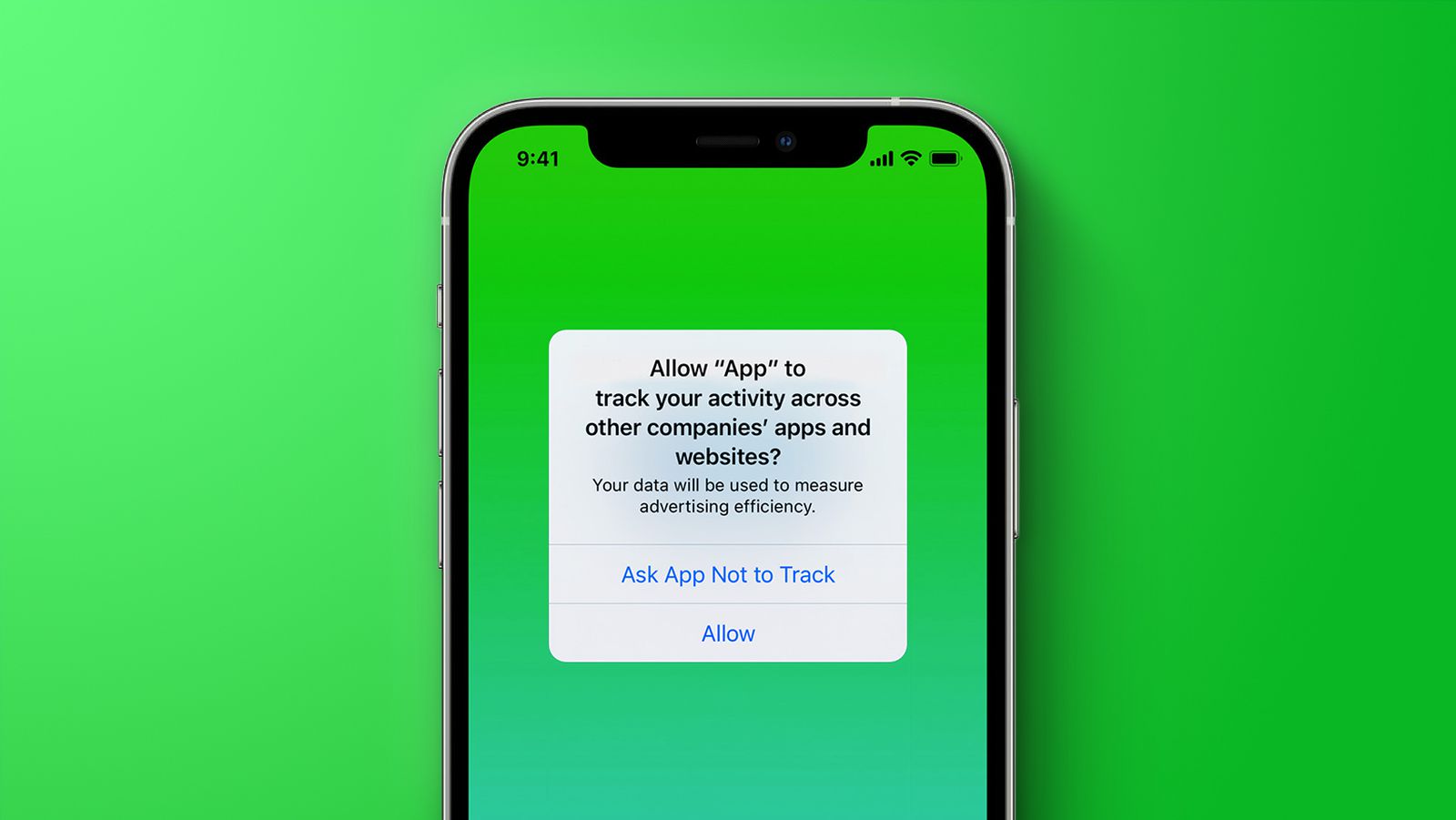
Table of Contents
How to Stop Apps From Tracking You in iOS 14.5
With the launch of iOS 14.5, apps are no longer allowed to access the IDFA or tracking advertiser on your iPhone, iPad, or Apple TV without your express permission, keeping your app data more private. Apps use your IDFA to track you across different apps and websites, keeping tabs on your preferences and app usage habits.

When an app wants to use your IDFA, you'll see a popup that says "Allow [app] to track your activity across other companies' apps and websites?"
When this prompt comes up, you can choose to select "Ask App Not to Track," which blocks all access to your advertising identifier, or "Allow," which lets the app access the information for tracking purposes. Apps are allowed to explain why they want access to the IDFA, but the ad industry largely expects most people to decline.
If you don't want to deal with these popups from ads and want to universally block access to the IDFA, there's a Privacy setting that allows you to do so. Follow these steps:
- Open up the Settings app.
- Scroll down and tap Privacy.

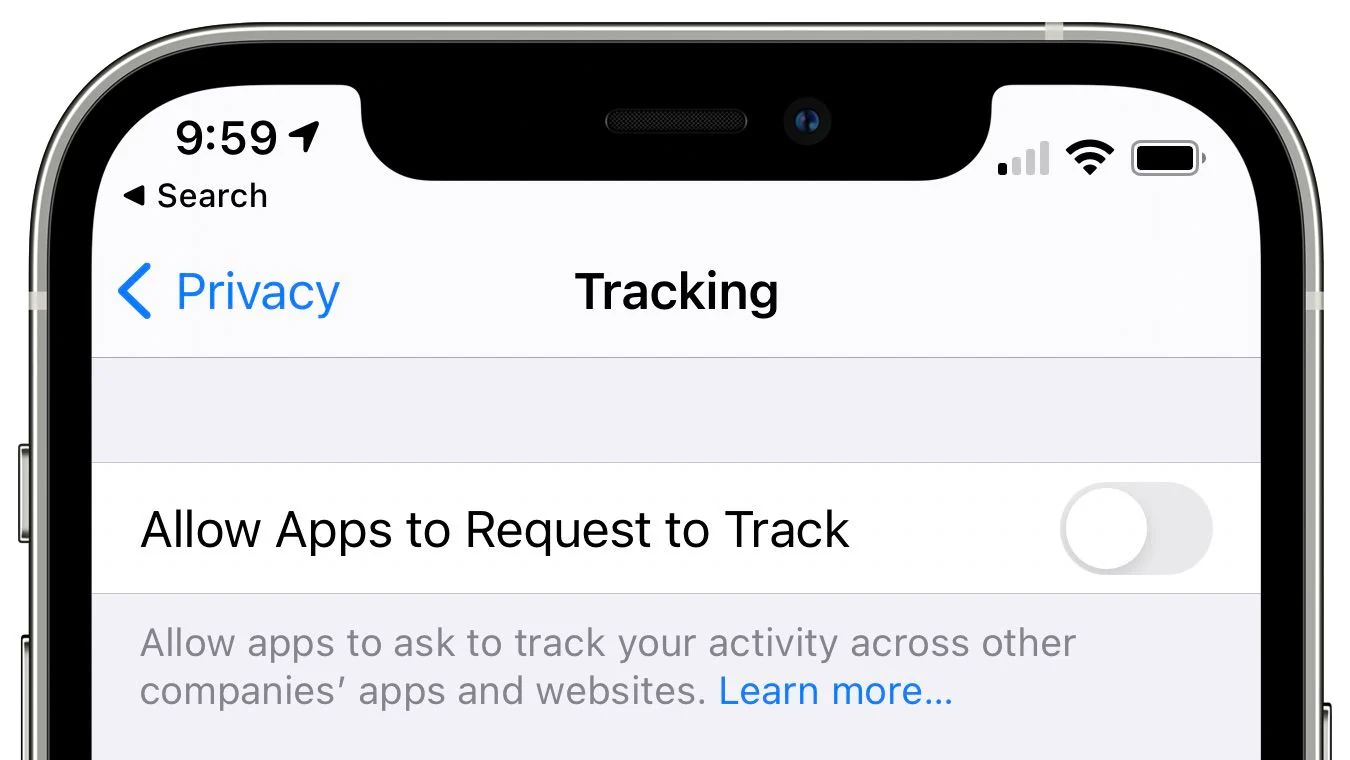
- Tap on Tracking.
- Toggle off "Allow Apps to Request to Track."
Depending on your prior privacy settings, this toggle may have already been turned off on your device. If it wasn't, this will make sure that you don't see tracking request popups and that apps aren't able to access your IDFA.
Developers are now required to adhere to Apple's privacy rules, so if you don't have this toggle turned off, you can expect to see quite a few more popups from apps that want to use your advertising identifier for ad targeting purposes.
It's worth noting that the anti-tracking rule also expands to other tracking methods, so app developers are not allowed to create workarounds that allow them to gather enough data about your device to create a profile even without the IDFA.
If for some reason you decide you want to turn tracking on for a particular app but had the auto-decline feature turned on, you can get the popup to come back by turning it off and then re-downloading the app.
Popular Stories

Apple Responds to iPhone Duo Display Cracking Reports

Crackgate? iPhone Duo Owners Report Screens Breaking Along the Hinge

